AWS Cloud Practitioner
This page contains my notes from the AWS Cloud Practitioner course – a four-part series that covers everything from cloud basics to advanced services. I took this course at AWS Skills Centers and wanted to document what I learned.
Course Resources
Course Links: AWS Skills Centers | Skillbuilder
Dashboard: Evantage Dashboard
Materials: AWS Student Guide (VitalSource Bookshelf) and Digital Course Supplement
Part 1: AWS Cloud Basics
Taught by: Bill Albert
Topic A: Understanding the AWS Cloud
AWS started in 2006 with just 1 service – Amazon Simple Queue Service (Amazon SQS) – to support Amazon’s retail corporate needs. Amazon made all services accessible via APIs, and the rest is history.
Cloud refers to applications and services accessed over the Internet.
Six Advantages of Cloud Computing (IMPORTANT)
Trade fixed expense for variable expense – Instead of investing heavily in data centers and servers before you know how you’re going to use them, in the cloud, you only pay for the services you consume.
Benefit from massive economies of scale – Since usage from hundreds of thousands of customers is aggregated in the cloud, providers like AWS can achieve higher economies of scale, which translates into lower pay-as-you-go prices.
Stop guessing about capacity needs – Have the flexibility to grow capacity when required.
Increase speed and agility – You can reduce the time to make resources available to your developers from weeks to minutes, encouraging innovation.
Stop spending money running and maintaining hardware – Focus on your business, not infrastructure.
Go global in minutes – Deploy worldwide with a few clicks.
AWS Pricing Model
AWS uses a pay-as-you-go pricing model. Use the AWS Pricing Calculator to estimate costs.
Pricing depends on:
Services you use
How much you use
AWS region – prices change depending on the region
Computing Deployment Models
On-premises deployment – YOU do it all – you own everything, manage everything, and scale everything from hardware
Cloud-based deployment – You pass all hardware responsibility to the cloud
Hybrid deployment model – Combination of on-premises and cloud
Advantages of Automation in the Cloud
Improved consistency and reliability
Enhanced security posture
Agile and responsive environments
Shared Infrastructure Models
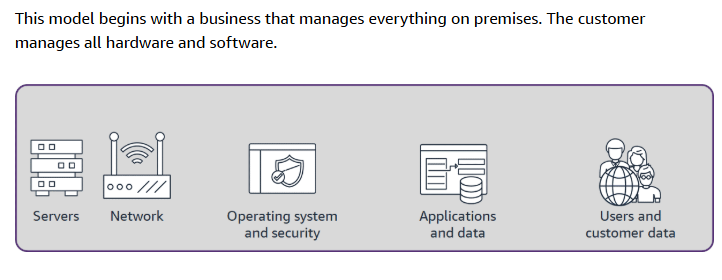
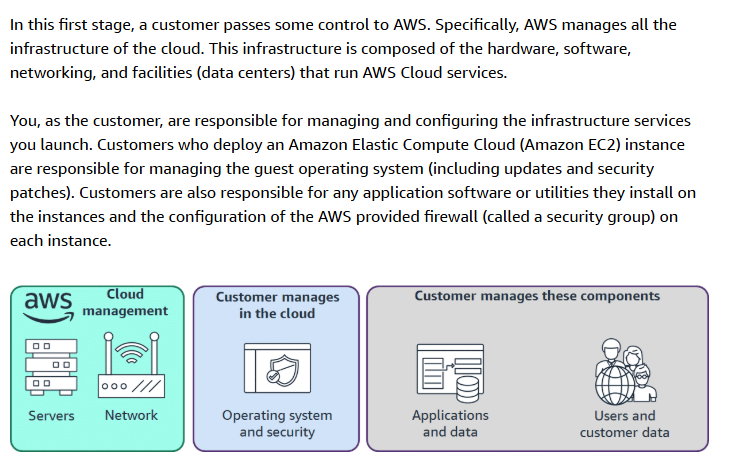
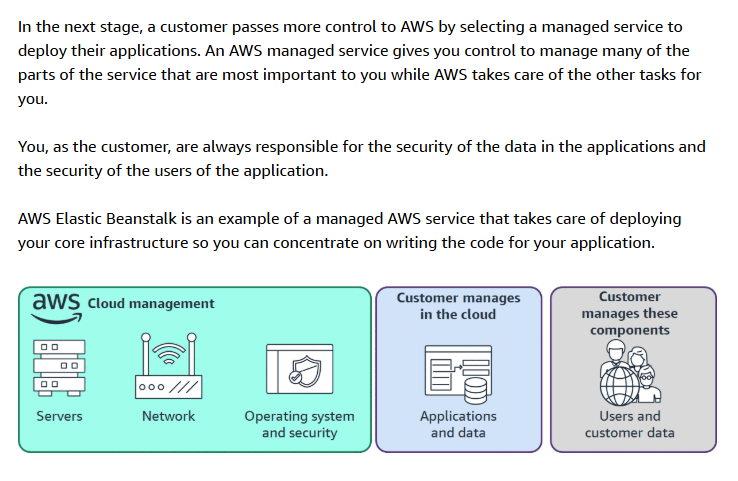
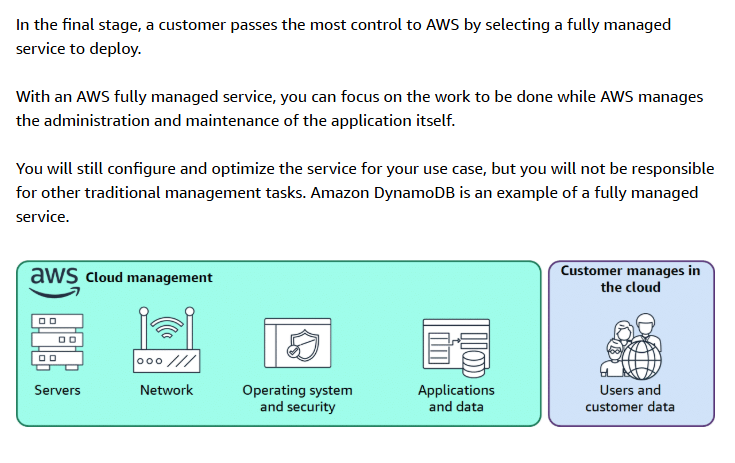
Making a decision to move some business operations to the cloud is not a small decision. Many companies will choose to do this slowly over time. With the shared infrastructure model, organizations can decide how much of the underlying system management, maintenance, and overhead they want to pass to a cloud service provider (CSP) and how much they want to maintain themselves.
Four Models:
Model 1: Business hosts everything – You manage everything from hardware to application
Model 2: Managed Servers (Amazon EC2) – AWS manages the physical infrastructure, you manage the rest
Model 3: Managed Services (AWS Elastic Beanstalk) – AWS handles more of the stack
Model 4: Fully Managed Services (Amazon DynamoDB) – AWS manages almost everything
Topic B: AWS Global Infrastructure
Three Boundaries
Global boundary → AWS Cloud – Services running in the cloud are isolated from interruptions in the outside world
Regional boundary → Region – Each region consists of multiple availability zones (which are independent and physically/geographically separated)
Zonal boundary → Availability Zone
Choosing an AWS Region (IMPORTANT)
Four factors to consider:
Compliance with data governance and legal requirements – Depending on your company and location, you might need to run your data in specific areas. For example, if your company requires all its data to reside within the UK, you’d choose the Europe (London) Region.
Proximity to your customers – Selecting a Region close to your customers helps get content to them faster. If your company is in Washington DC but customers are in Singapore, you might run apps in the Asia Pacific (Singapore) Region.
Available services within a Region – Not all services are available in every region. AWS builds out physical hardware one Region at a time, so newer services like Amazon Braket might not be available everywhere yet.
Pricing – Costs can vary significantly by region. Running a workload in São Paulo might cost 50% more than running the same workload in Oregon due to tax structures.
Availability Zones Explained
Regions are made up of multiple Availability Zones. An Availability Zone is made of one or more data centers and can be spread over multiple buildings and sites. Every AZ in a Region is in a separate failure domain from the others (different substations, fiber circuits, etc). AZs are “local” but not close by, and separate infrastructure ensures failure of one doesn’t impact any others. AZs interconnect with high-speed fiber.
Here’s an example:
us-east-1ais one AZEven if AWS internally uses multiple buildings for that AZ, they are treated as one failure domain
If
us-east-1ahas a failure, your workload in that AZ is affected
I can choose to place my resources in all three AZs us-east-1a, us-east-1b, and us-east-1c to improve my RESILIENCY. If 1a goes down, I can still count on AZs 1b and 1c to serve my application to end users.
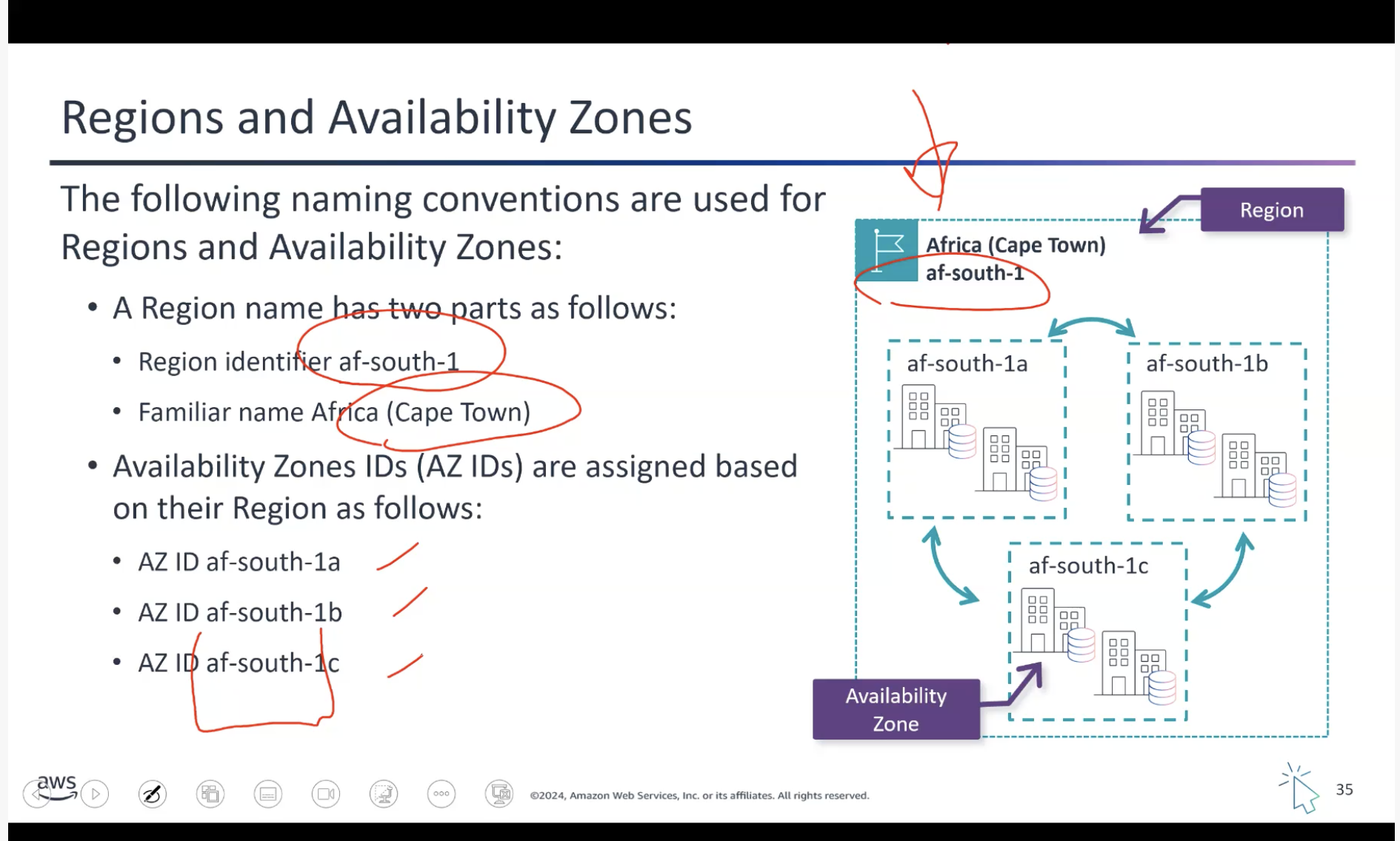
Reference: AWS Global Services Whitepaper
Local Zones (IMPORTANT)
AWS Local Zones extend an AWS Region by placing compute, storage, and database resources closer to end users in specific locations, enabling ultra-low latency deployments. They allow services such as Amazon RDS to run in multiple locations without automatic cross-Region replication unless explicitly configured.
Local Zones are ideal for latency-sensitive applications like:
Real-time gaming
Media production
Financial services
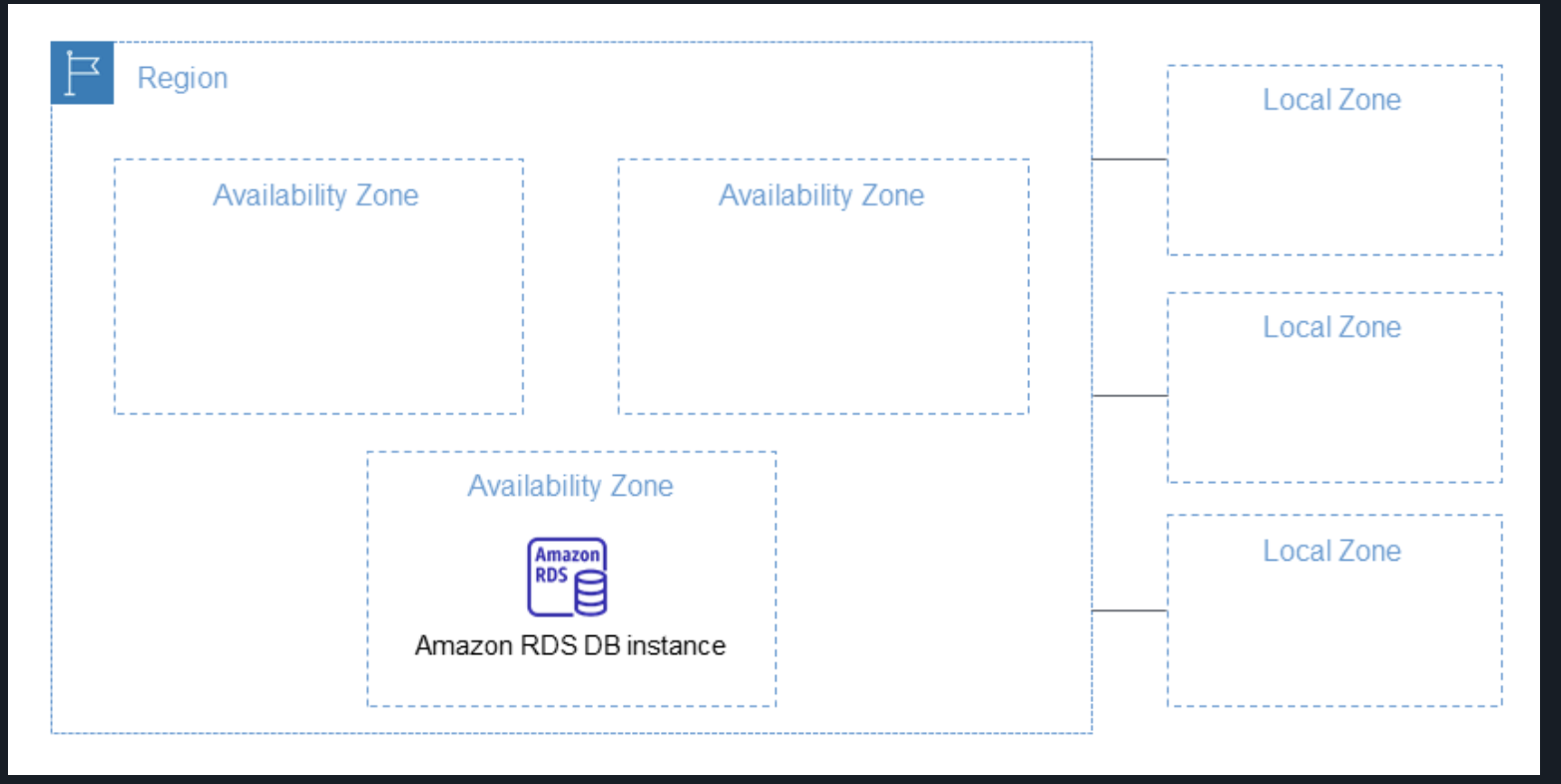
Reference: AWS Local Zones Documentation
Topic C: Connecting to the AWS Cloud
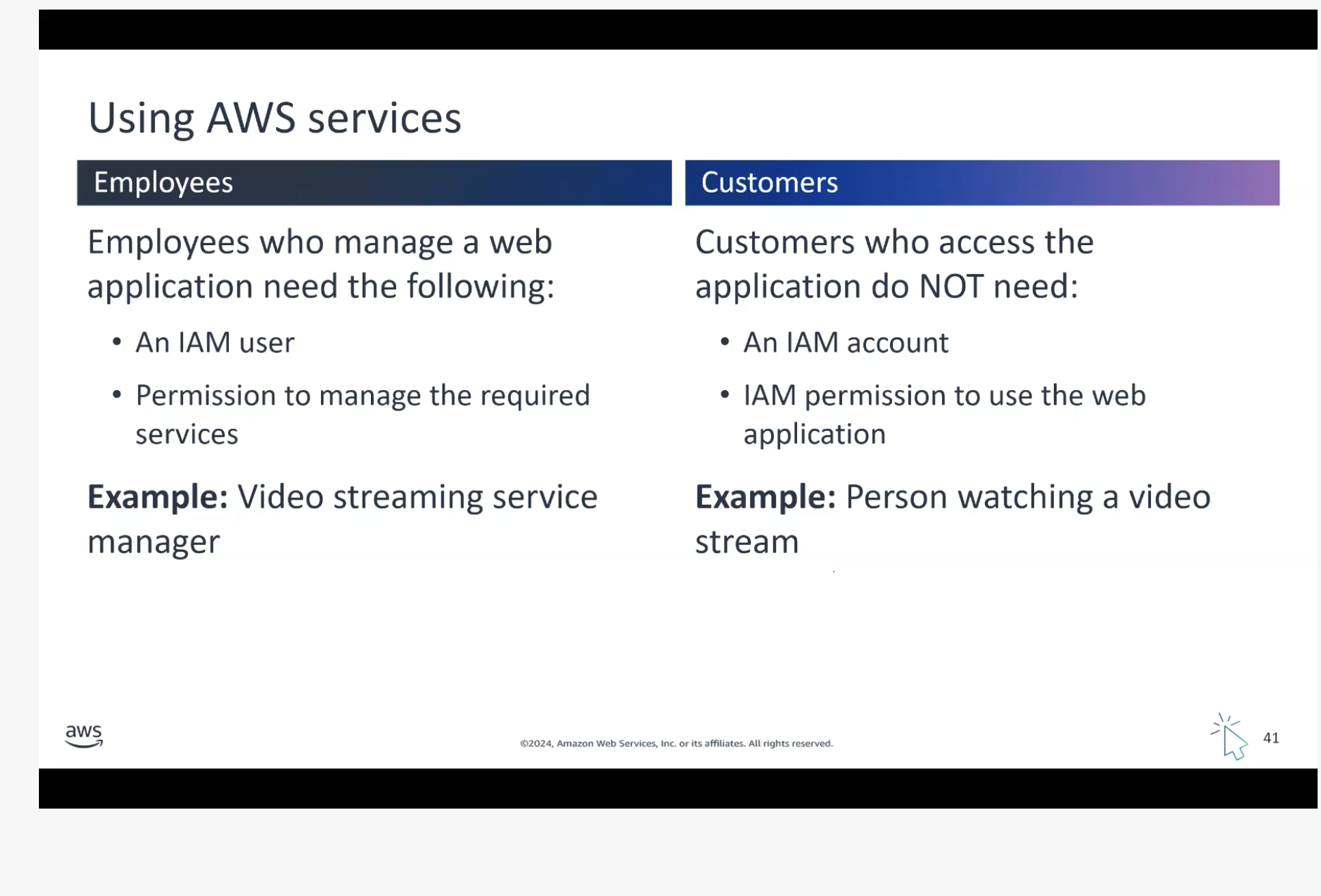
IAM Policy Management
Attaching Policy to an IAM User Group:
A Policy Statement requires three components (EAR):
Effect: “Allow” or “Deny”
Action: Specific actions permitted/denied
Resource: Resources the policy applies to
Key Rules:
A group can have multiple users
A user can belong to multiple groups
For a user to perform an action:
There must be at least one policy that says ALLOW
There must be no policy that says DENY – One DENY negates infinite ALLOWs
Reference: AWS IAM Access Policies
Topic D: Building a Static Website
Without SSL Certificate:
Create S3 bucket + block all public access to the bucket (for testing)
Upload files to bucket
Enable static hosting for S3 bucket
Visit the bucket link – forbidden access to bucket
Unblock all public access to the bucket
Visit the bucket link – publicly accessible now – website visible
With SSL Certificate:
CloudFront is the way to do it – S3 cannot handle SSL directly. You need to upload your certificate to the Certificate Manager, then apply it as a custom cert. Then add the CNAME from Route 53 to CloudFront.
Topic E: AWS Frameworks
AWS Well-Architected Framework
The AWS Well-Architected Framework provides guiding principles and best practices for building secure, reliable, efficient, and cost-effective cloud architectures. It helps organizations evaluate, improve, and optimize their cloud systems while reducing risk and maximizing cloud benefits.
Six Pillars:
Operational Excellence
Security
Reliability
Performance Efficiency
Cost Optimization
Sustainability
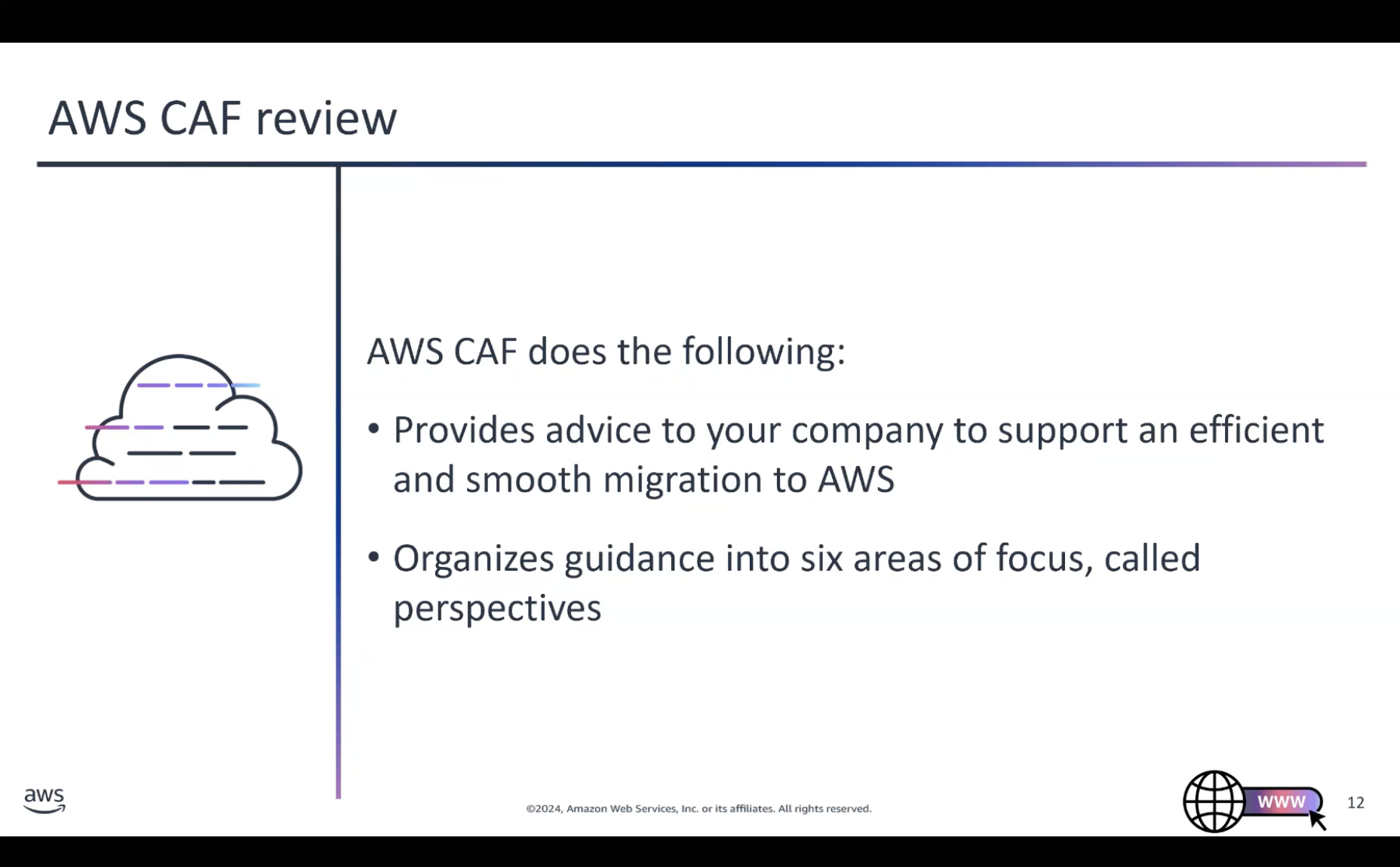
AWS Cloud Adoption Framework (CAF)
Cloud migration is a gradual, expertise-driven process that requires careful planning and coordination across an organization. The AWS CAF helps organizations assess readiness, identify gaps, and create a clear roadmap aligned with business goals.
Six Perspectives:
Business: Business, People, Governance
Technical: Platform, Security, Operations
Part 2: Compute, Networking, and Account Strategies
Taught by: Bill Albert
Topic A: Networking in the AWS Cloud
Amazon VPC (Virtual Private Cloud)
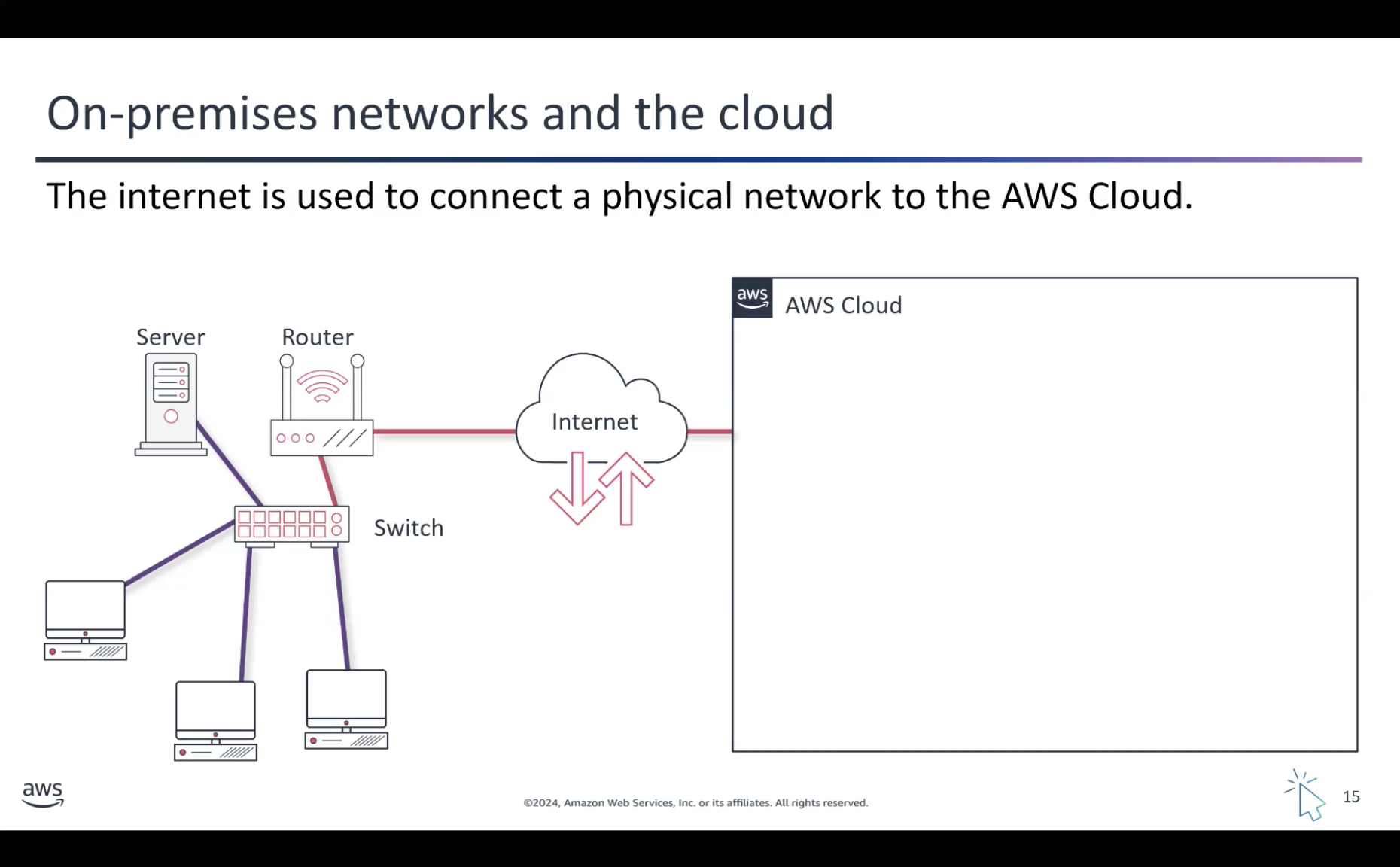
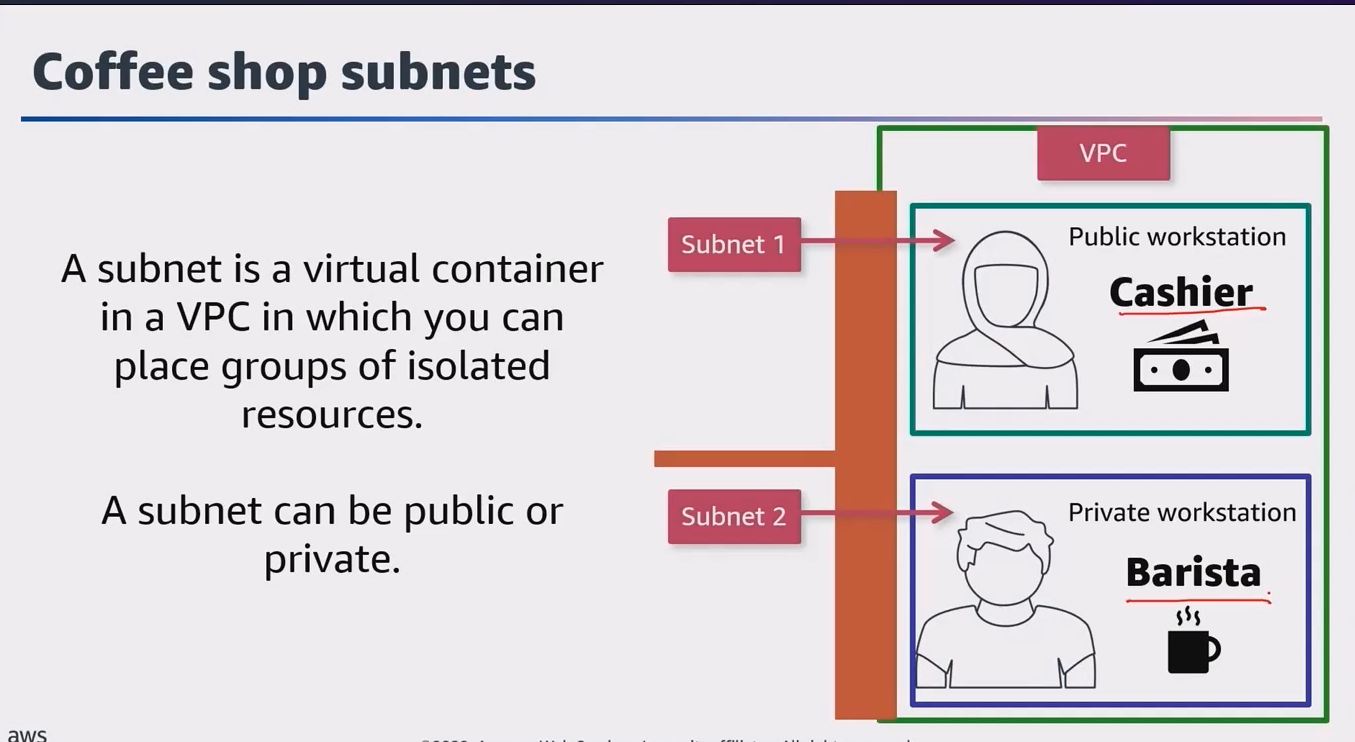
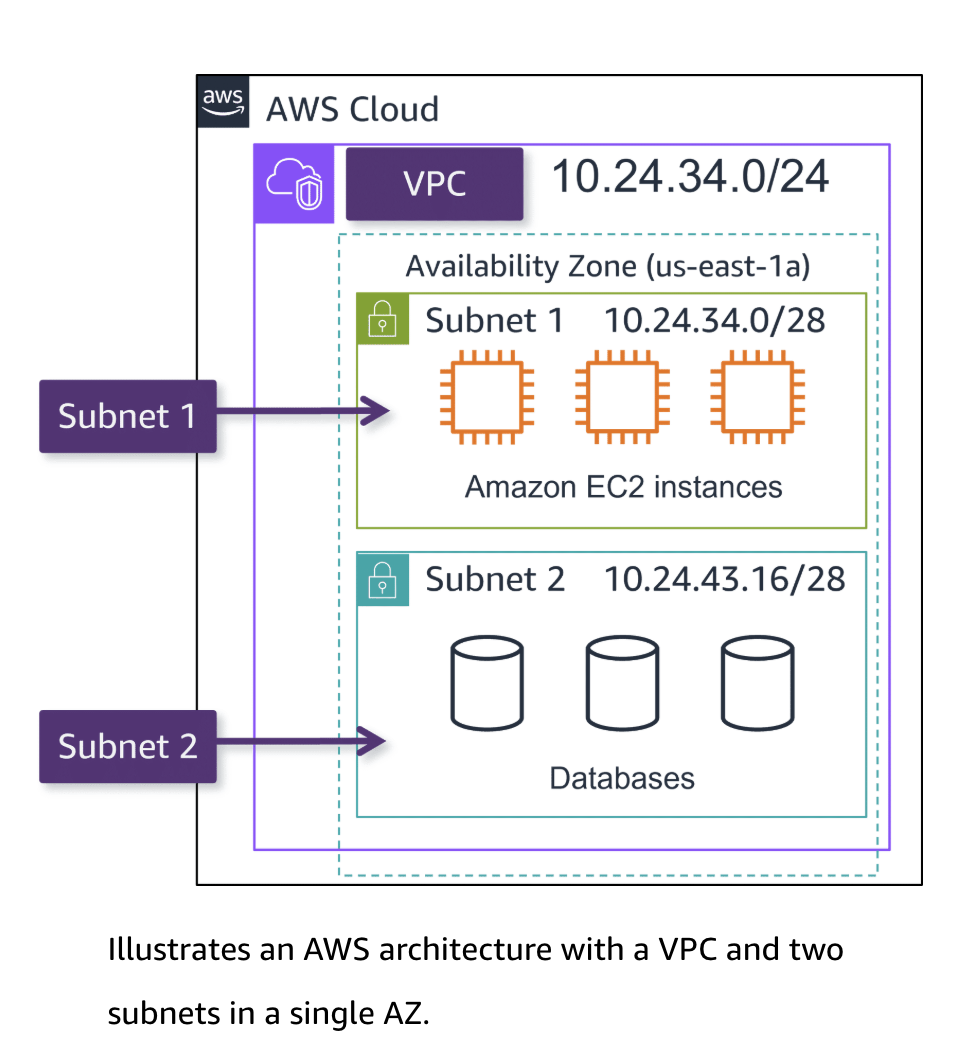
Amazon VPC is a private, isolated section of the AWS Cloud that you can customize and control. It’s like having your own private network in the larger AWS infrastructure.
Topic B: Amazon VPC Networking Components
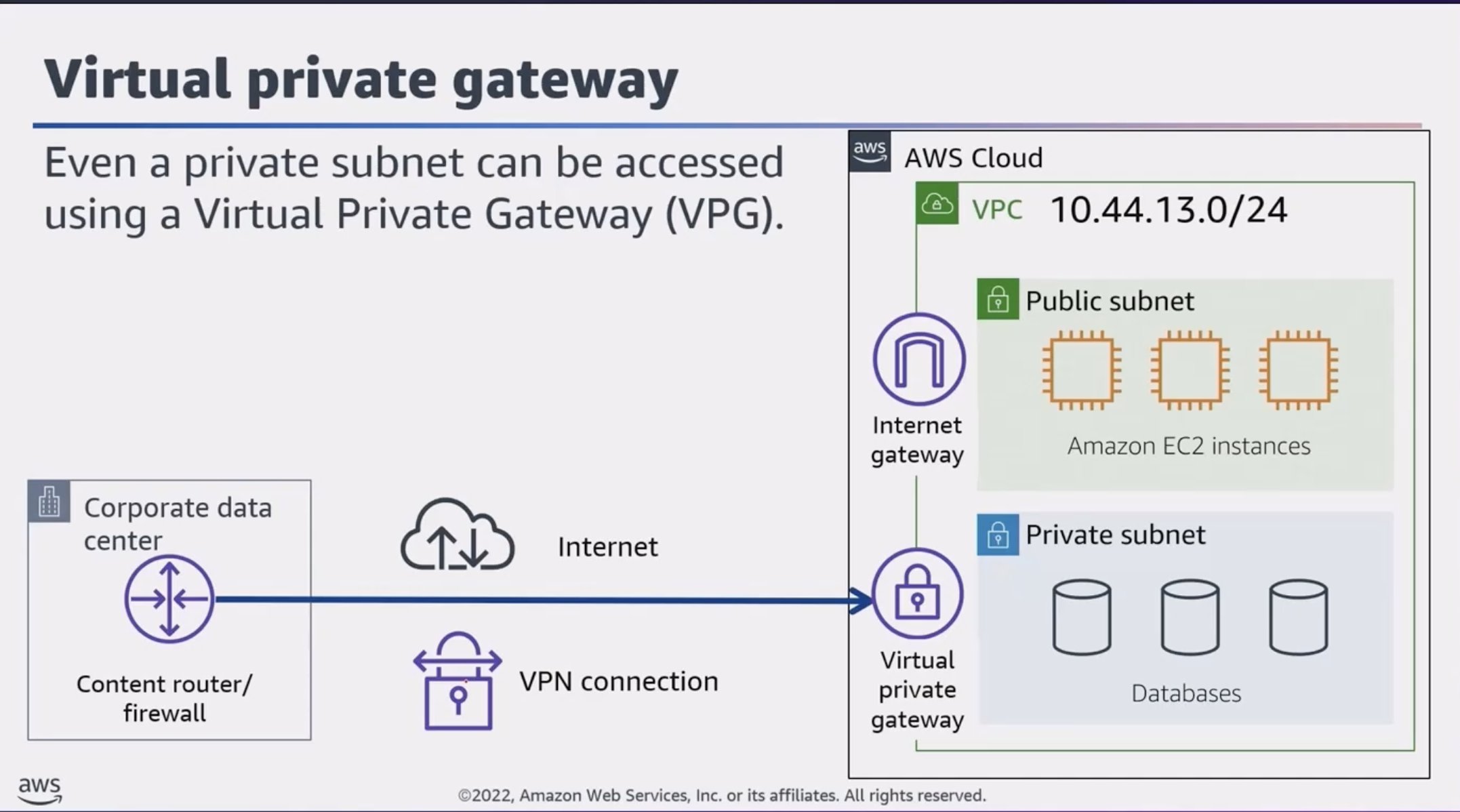
Connecting Your VPC to the Internet
Internet Gateway – To allow public traffic from the internet to access your VPC, you attach an internet gateway to the VPC.
Virtual Private Gateway (VPG) – For more secure and reliable access, you can connect to your VPC using a private network, such as an existing corporate network or a VPN connection. A virtual private gateway allows traffic into the VPC only if it’s coming from an approved network.
AWS Direct Connect – Establishes a dedicated private network connection (NOT the public internet) between your on-premises infrastructure and your VPC. This provides a more reliable, lower-latency, and potentially more secure way to access your VPC resources.
The Customer or Partner router is provided by the company’s ISP – which is connected to special hardware that is an AWS Direct Connect endpoint.
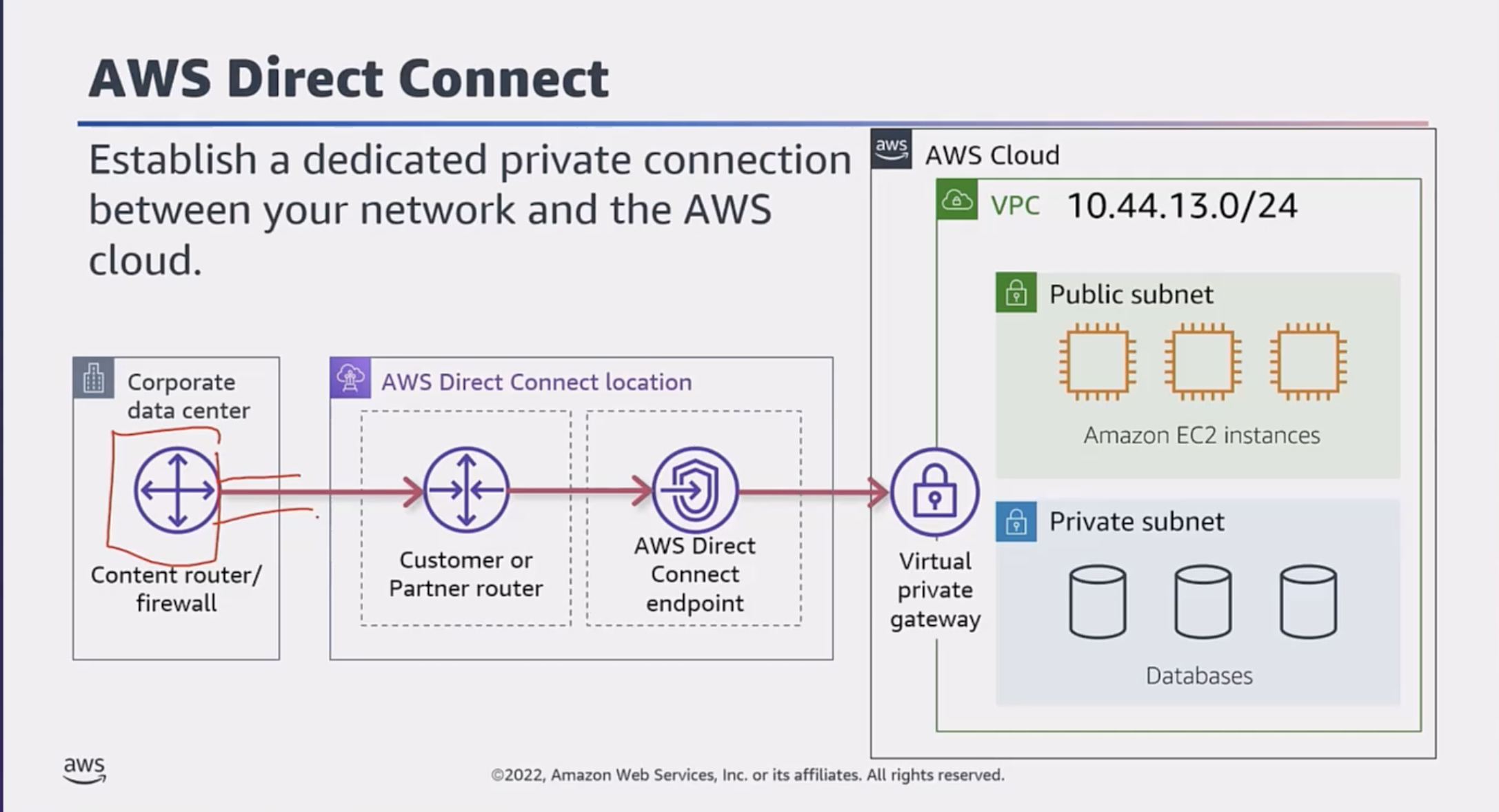
Direct Connect Summary:
With AWS Direct Connect, you create a private, dedicated network connection between your own infrastructure and the AWS Cloud. This is different from using the public internet to access AWS services.
Main benefits:
Improved performance
Enhanced security
More consistent and predictable network experience
Important AWS Direct Connect Billing Info:
Capacity (measured in MBps/GBps)
Port hours (measured in time that a port is active)
Data transfer out (DTO) (charged per GiB)
VPN Connection Types
Site-to-Site VPN – Acts as an internal private network for companies with multiple geographically separated locations
AWS Client VPN – Fully managed remote access VPN solution that employees can use to securely access resources in both AWS and on-premises business networks
AWS VPN CloudHub – Uses a hub-and-spoke model where multiple Customer Gateways connect to one VPG
Amazon VPC Traffic Control
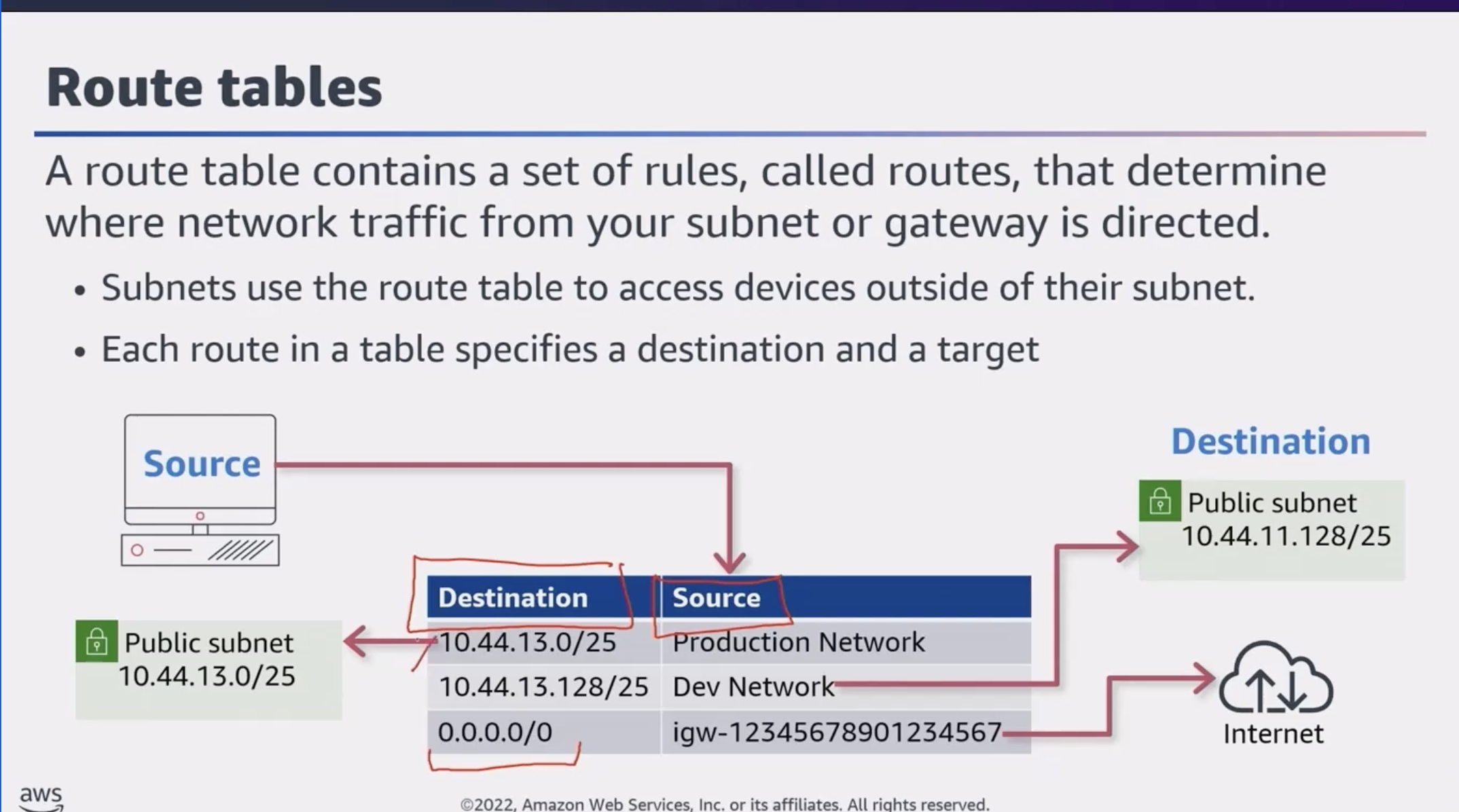
Route Tables:
A route table is like a map that tells your cloud-based resources how to find their way around your virtual network. Just like a regular map, a route table has routes that define where traffic should be directed.
Virtual Firewalls:
Virtual firewalls are the security guards of your virtual network. Two main types:
Network ACLs – Like the outer walls of your virtual network, determining which types of traffic are allowed to enter or leave your overall setup
Security Groups – Act as the inner security guards, controlling access to individual cloud resources
Network ACL (NACL)
A network access control list (ACL) is a virtual firewall that controls inbound and outbound traffic at the subnet level.
Stateless Packet Filtering:
An ACL is stateless – it filters BOTH INBOUND AND OUTBOUND traffic. For a request packet that may have been ALLOWED into the network, while a response packet is being sent out, the ACL DOES NOT remember if it was allowed in. It refers to the outbound rules and only allows the response to leave if it’s explicitly ALLOWED.
Notes:
Default ACL – All AWS accounts come with a default network ACL that ALLOWS ALL INBOUND AND OUTBOUND TRAFFIC
Custom ACL – By default, all inbound and outbound traffic is DENIED
ALL network ACLs have an EXPLICIT DENY rule – if a packet doesn’t match any other rules, it’s denied
Security Groups
Similar to an ACL, but for a resource (usually EC2 instances) – ONLY CHECKS FOR INBOUND TRAFFIC BY DEFAULT.
By default: OUTBOUND TRAFFIC IS ALLOWED, INBOUND TRAFFIC IS DENIED
Security groups allow stateful connections
Stateful Packet Filtering:
If a request is allowed in one direction (inbound or outbound), the response is automatically allowed without being filtered by the security group again.
Reference: Default Security Groups | Network ACLs
Topic C: Compute in the AWS Cloud
Amazon Machine Image (AMI)
An AMI provides the information required to launch an instance. Includes:
One or more Amazon EBS snapshots
A template for the root volume (OS, application server, applications)
Launch permissions that control which AWS accounts can use the AMI
A block device mapping for volumes to attach at launch
Types of Storage Associated with EC2 Instances
Instance Store – Temporary/Ephemeral Storage – When the instance is shut down, all data is removed – LIKE STORING DATA ON THE PHONE
EBS Volume – Preserves data through instance stops and terminations. Supports full-volume encryption – LIKE STORING DATA ON A MEMORY CARD
Amazon EFS – Scalable file storage for workloads running on multiple instances – LIKE STORING DATA IN THE CLOUD
Container Services
ECS – Elastic Container Service
EKS – Elastic Kubernetes Service
Amazon ECR – Elastic Container Registry – Managed Docker container registry
AWS Fargate – Serverless compute engine for containers
Serverless Services
Serverless services let you run applications in the cloud without managing servers or infrastructure, while the cloud provider automatically handles provisioning, scaling, and resource management.
Benefits:
Reduced operational overhead – Focus on building your application, not managing servers
Scalability – Automatically scales up or down based on demand
Cost optimization – Only pay for compute time and resources consumed
Efficient time to market – Deploy features quickly without worrying about infrastructure
AWS Lambda
Used to provision compute power to run a piece of code for a limited period of time, eliminating the need for dedicated EC2 instances where code might sit idle. Instead of setting up VMs or containers, you upload your code to Lambda. It automatically runs that code in response to events or triggers.
Key Points:
Billing is metered in increments of one millisecond
Lambda functions can run up to 15 minutes per invocation (timeout can be set from 1 second to 15 minutes)
Integrates with other AWS services via event-driven invocation or polling queues/streams
Edge Services
Edge computing processes data closer to where it’s generated rather than in centralized cloud data centers. This approach:
Reduces latency
Improves reliability
Lowers bandwidth usage
Enhances security by keeping data local
AWS edge services like AWS Outposts, AWS Wavelength, and AWS IoT Greengrass enable running applications and processing data near the source.
Part 3: Identities, Security, and Monitoring
Taught by: Bill Albert
Topic A: Identities and Permissions
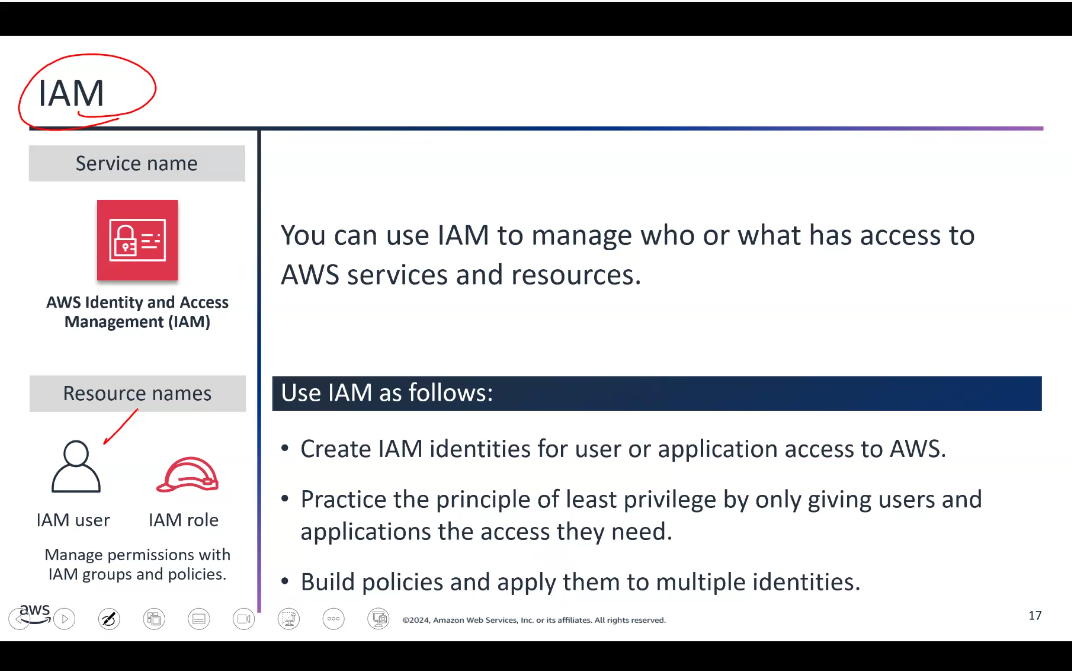
IAM Groups and Roles
IAM Group – Multiple IAM users in a group
Group membership is persistent
Group permissions always apply to all group members
Policies are attached to groups
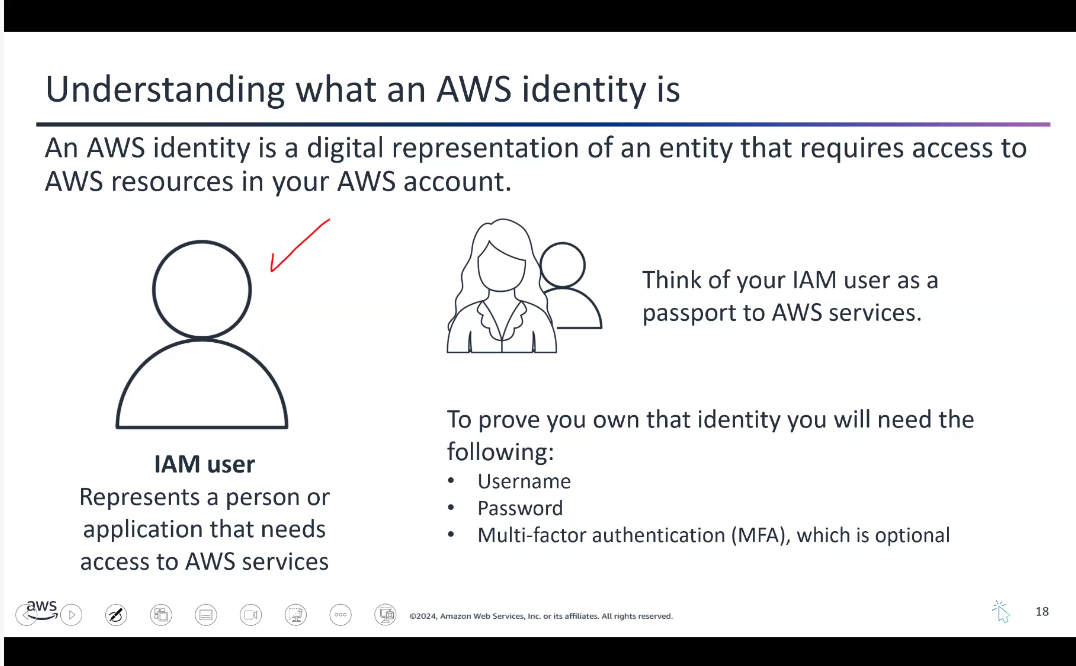
IAM Role – An IAM user requests temporary permissions to assume a role to perform a certain task
Roles are assumed one at a time
Role permissions are applied for that session and replace existing permissions
Common Managed Policies:
AdministratorAccess– Grants full access to all AWS services and resourcesAmazonEC2FullAccess– Allows full access to EC2 instances and related resourcesAmazonS3ReadOnlyAccess– Provides read-only access to S3 buckets and objects
Additional AWS Security Services (IMPORTANT)
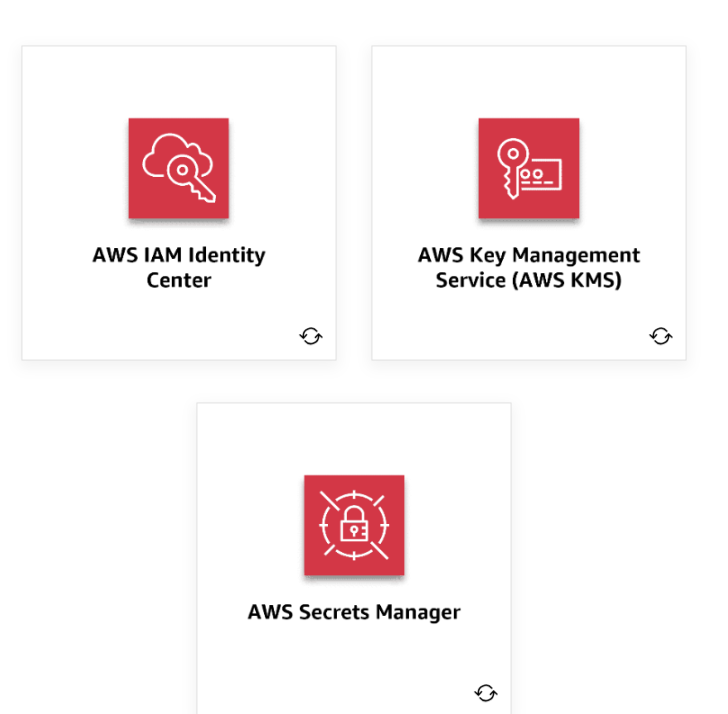
AWS IAM Identity Center – Centrally manage user identities and control their access to your AWS resources. Makes it efficient to onboard and provision users, groups, and roles.
AWS Key Management Service (KMS) – Helps you create and manage encryption keys. These keys are used to encrypt your data in AWS services or your own applications.
AWS Secrets Manager – Securely stores and manages your sensitive information like login credentials, API keys, or database connection details. Instead of hardcoding this data in your applications, store it in Secrets Manager.
AWS Trusted Advisor (IMPORTANT)
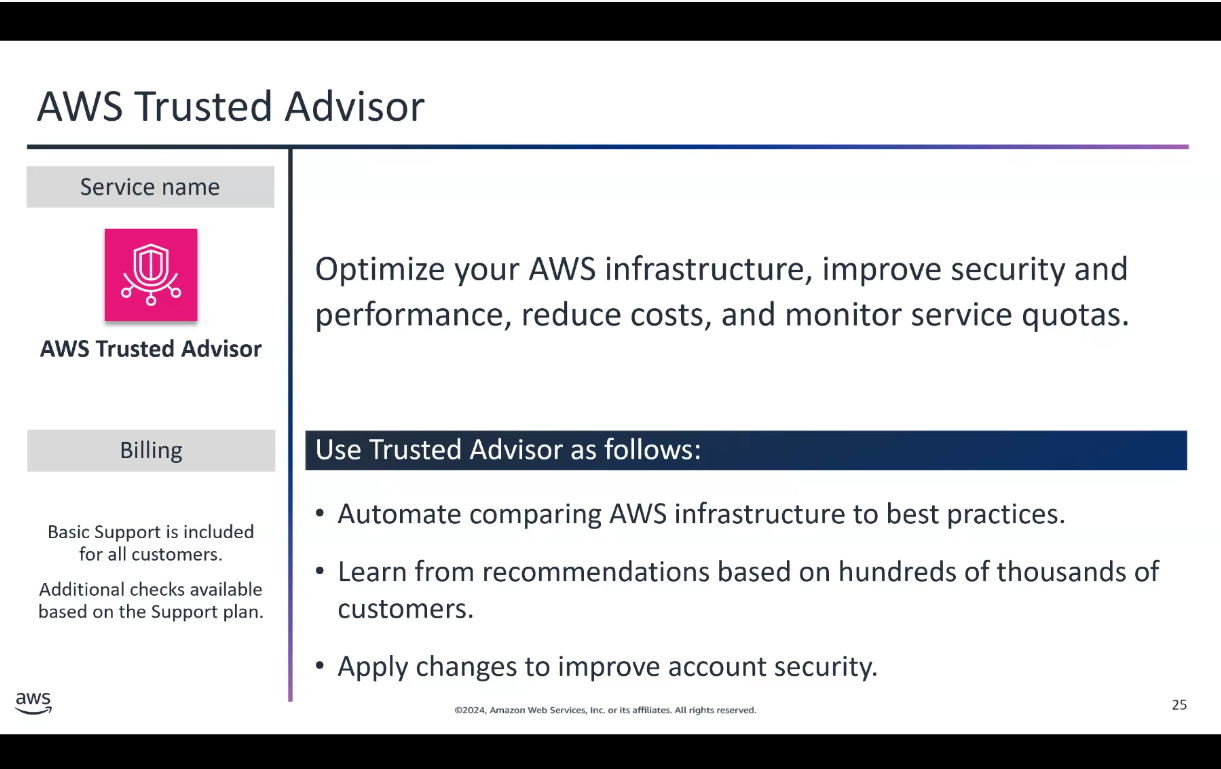
AWS Trusted Advisor analyzes your use of AWS services and provides personalized recommendations to optimize performance, security, and cost-efficiency. It’s like having an experienced cloud expert constantly reviewing your AWS workloads.
Provides recommendations in areas like:
Cost optimization
Security
Fault tolerance
Service limits
Pro tip: Inside the EC2 instance console, you can curl http://169.254.169.254 (IP of the hypervisor) to get metadata about that particular EC2 instance.
Topic B: Security, Governance, and Compliance
Shared Responsibility Model
AWS operates on a shared responsibility model:
AWS is responsible for: Security OF the cloud (physical infrastructure, hardware, networking)
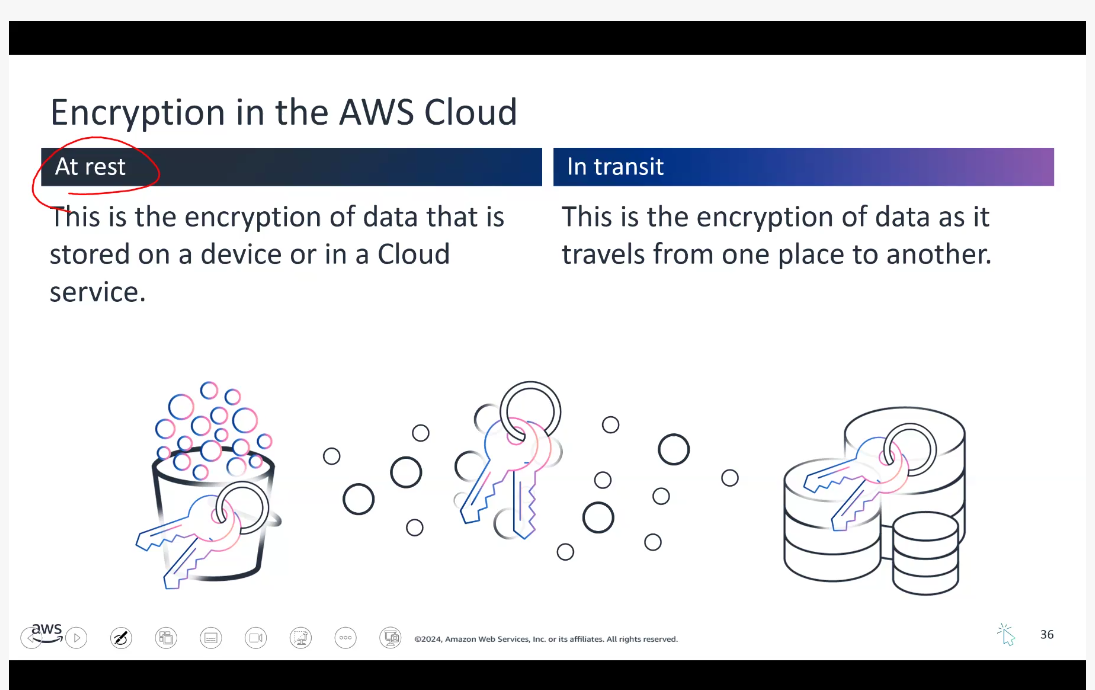
Customer is responsible for: Security IN the cloud (data, applications, identity management, encryption)
AWS Artifact
A FREE managed service. If your business operates in a regulated industry or needs to demonstrate compliance, AWS Artifact is a time-saver. Instead of searching for complex documents on your own, you can access them all in one central, secure location.
Includes: ISO, PCI, HIPAA agreements
The service automatically keeps these documents up to date as new versions are released.
Other Governance and Management Services
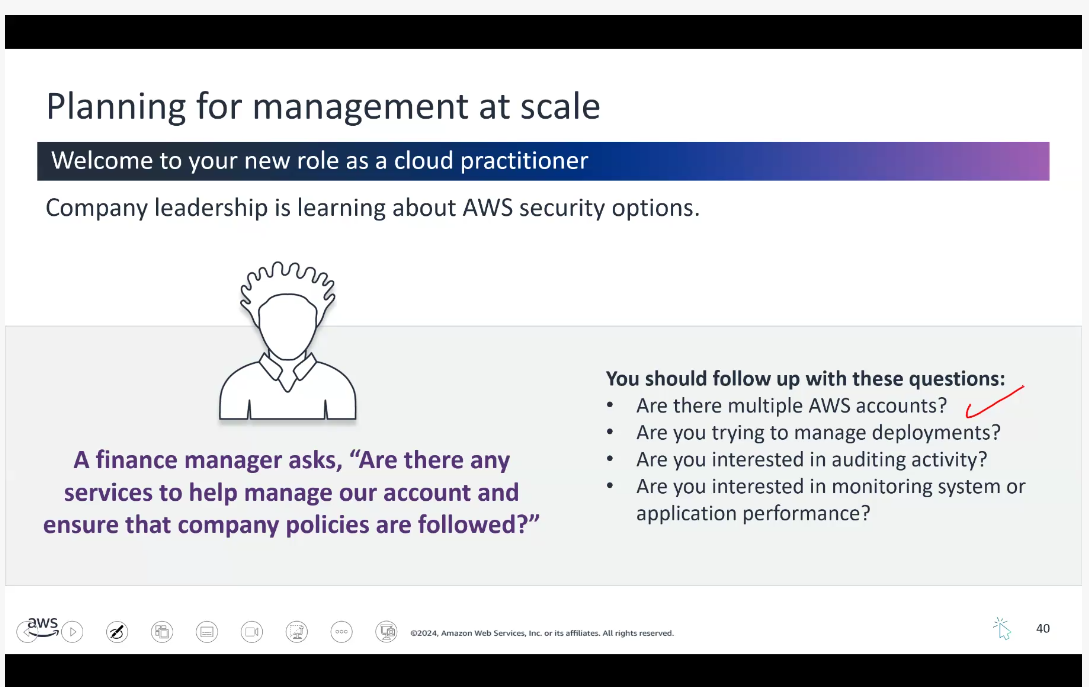
AWS Organizations – Centrally manage and control multiple AWS accounts. Enforce consistent policies across all your accounts.
AWS CloudFormation – Define your infrastructure as code. Create and manage AWS resources in a repeatable and automated way using templates.
AWS CloudTrail – Logging service that provides a detailed audit trail of all the actions taken in your AWS accounts.
Amazon CloudWatch – Monitoring and observability service that helps you track the performance and health of your AWS resources.
Topic C: Monitoring and Maintaining the AWS Cloud
AWS CloudTrail
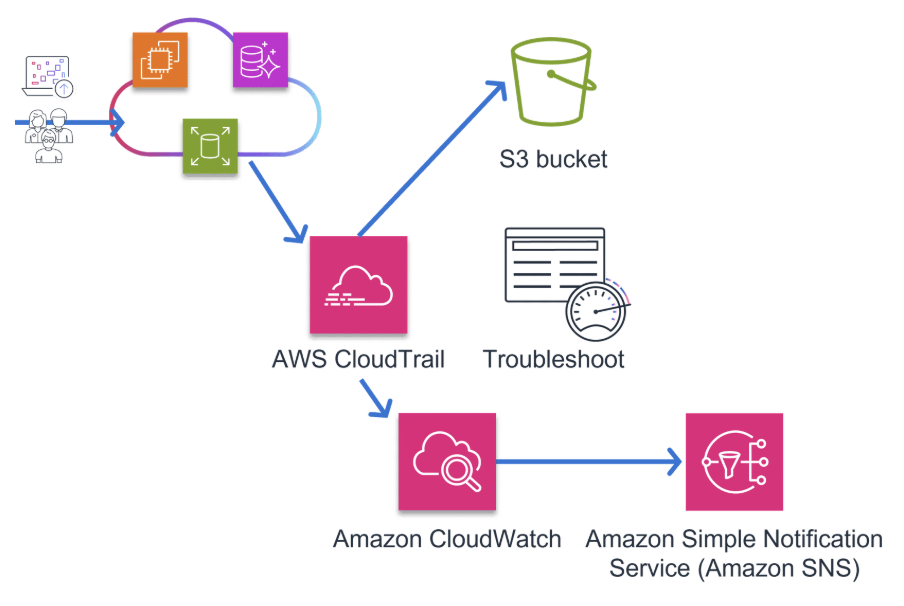
A logging service that captures all the API calls made to your AWS resources. You can identify exactly which actions are being performed on your cloud infrastructure, by whom, and when. It’s crucial for audit and security purposes.
Examples include: Creating a new server, modifying a database, or logging in to the AWS Management Console.
Amazon CloudWatch
A visualization and monitoring tool – a centralized way to monitor your cloud resources, including logs, metrics, and events. You can use CloudWatch to create custom dashboards, set alarms, and gain deeper insights into the overall health and performance of your AWS environment.
Using CloudTrail and CloudWatch Together:
CloudTrail provides the what and who by capturing all the API activity
CloudWatch provides the how by monitoring the real-world performance and behavior of your AWS resources
Topic D: Reliability and Performance Efficiency
Key Terminology
Availability – The percentage of time that a workload is available for use. Deploying into multiple AZs or Regions makes it highly available.
Resiliency – The ability of a system to recover when stressed by load. Example: failover mechanisms.
Reliability – The ability of a system to perform its intended function correctly and consistently.
Scalability – The ability of a cloud service to grow as demands change over time.
Elasticity – The ability to acquire resources as you need them and release them when you don’t. Example: AWS Lambda.
Durability – The ability to ensure long-term data stability. Amazon S3 is designed for 99.999999999% data durability.
Scaling in AWS
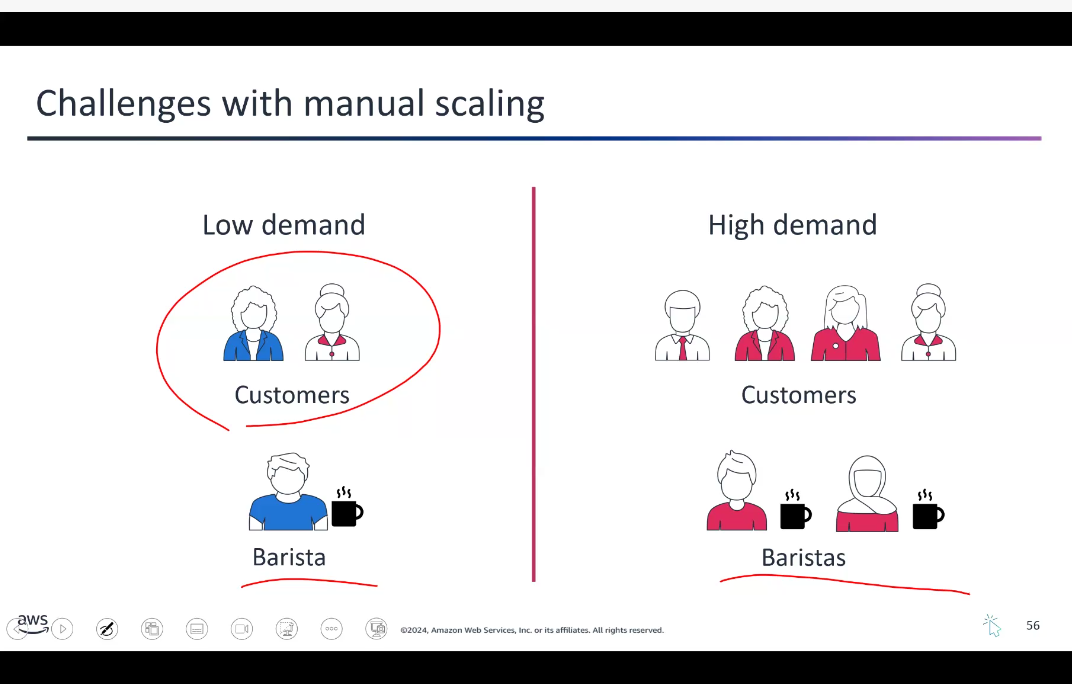
Vertical Scaling – Teaching one barista to work faster (upgrading instance type)
Horizontal Scaling – Having more baristas (adding more instances)
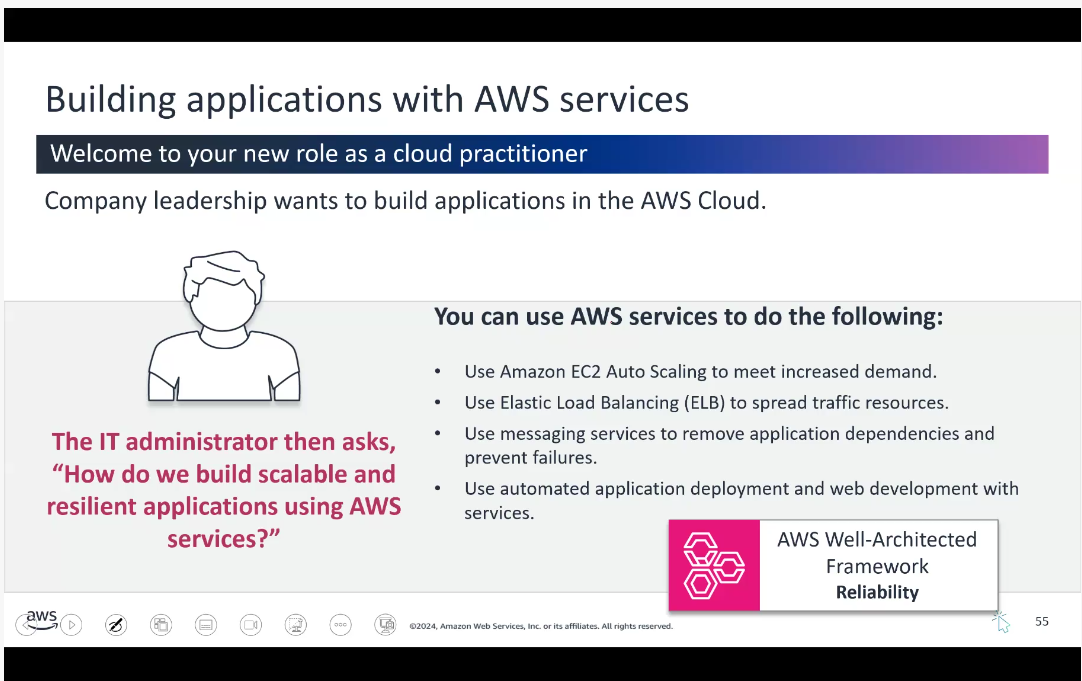
Amazon EC2 Auto Scaling:
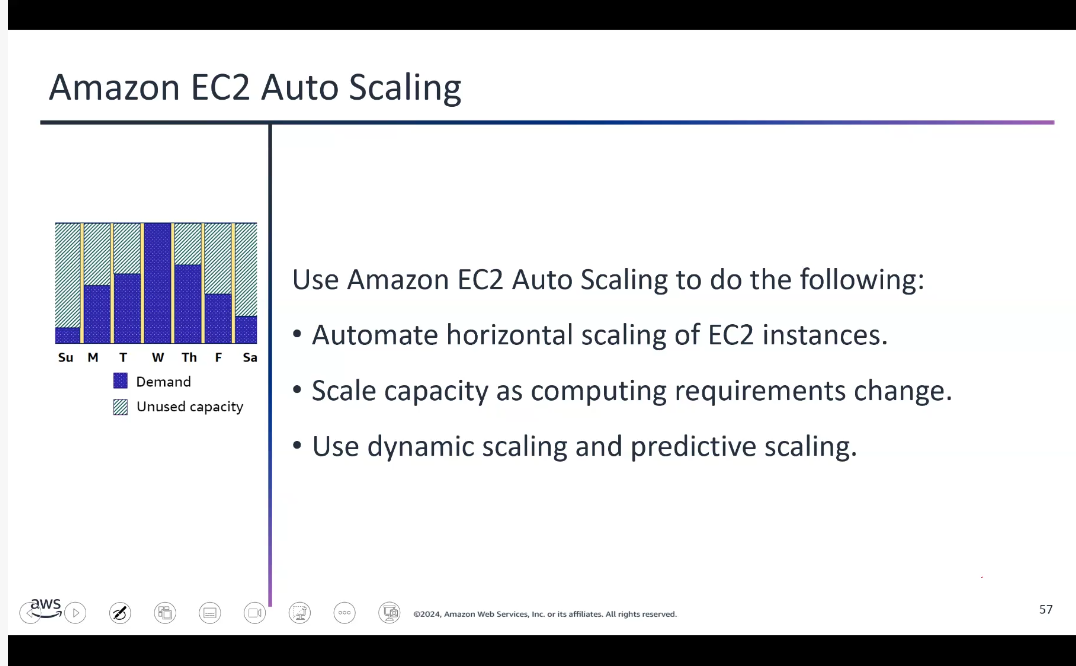
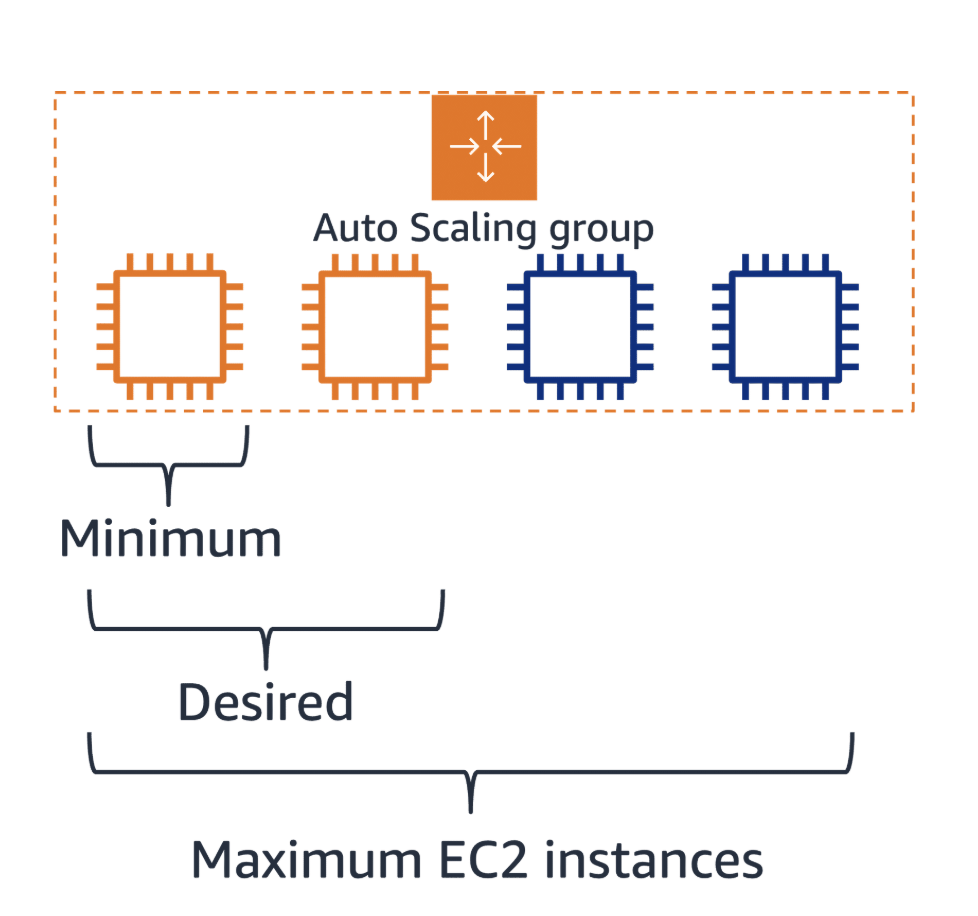
Dynamic scaling – Responds to changing demand
Predictive scaling – Automatically schedules instances based on predicted demand
Elastic Load Balancing
A load balancer serves as a single entry point for web traffic to an Auto Scaling group, distributing incoming requests across multiple EC2 instances.
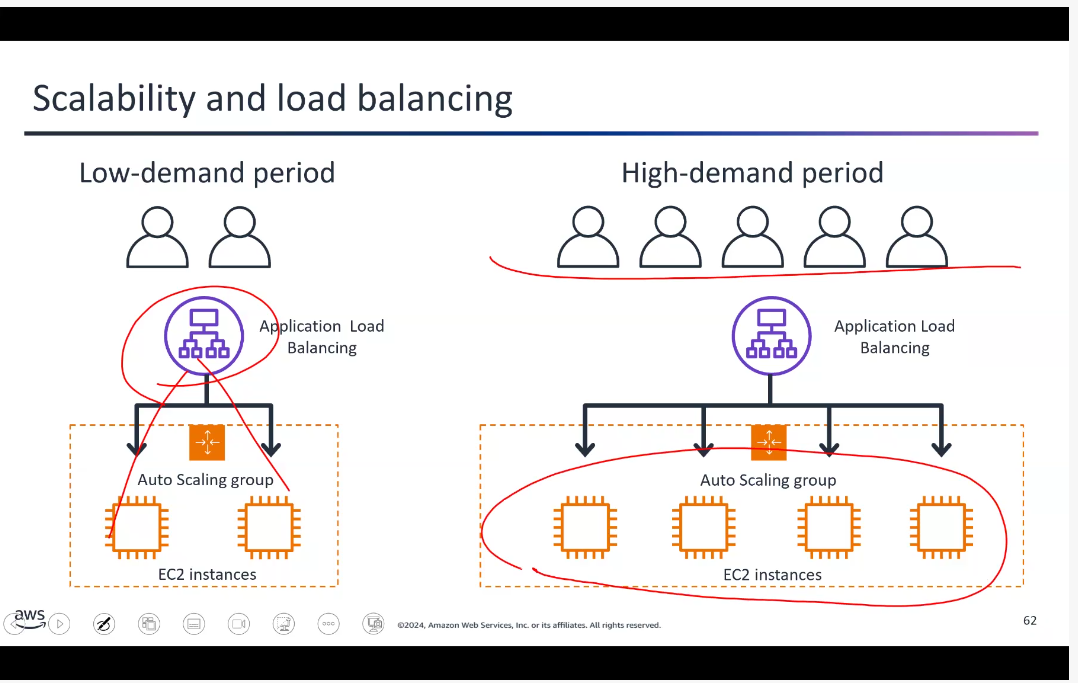
Three Types:
Application Load Balancer – Operates at Layer 7 (application layer). Routes based on content, uses round-robin or least-outstanding-requests algorithm.
Network Load Balancer – Operates at Layer 4. Handles millions of requests per second.
Gateway Load Balancer – Helps deploy, scale, and manage third-party virtual appliances.
Notifications and Messaging Services
Amazon SQS – Decouples application components for independent scaling and reliable message delivery
Amazon SNS – Publish-subscribe messaging to send notifications to multiple subscribers
Amazon SES – Secure, cost-effective email service for transactional and marketing emails
Amazon EventBridge – Centralized event bus that simplifies integrating applications with AWS and external data sources
Quick Deployment Services
AWS CloudFormation – Powerful but steep learning curve. Infrastructure as code.
AWS Elastic Beanstalk – User-friendly way to deploy and scale web applications. Automatically manages infrastructure.
AWS CodeDeploy – Automates software deployments across EC2, Fargate, and on-premises servers.
Web and Mobile Development
AWS Amplify – Comprehensive tools to integrate authentication, data storage, and analytics into applications
AWS AppSync – Managed GraphQL service that simplifies building data-driven applications
Topic E: Edge Services
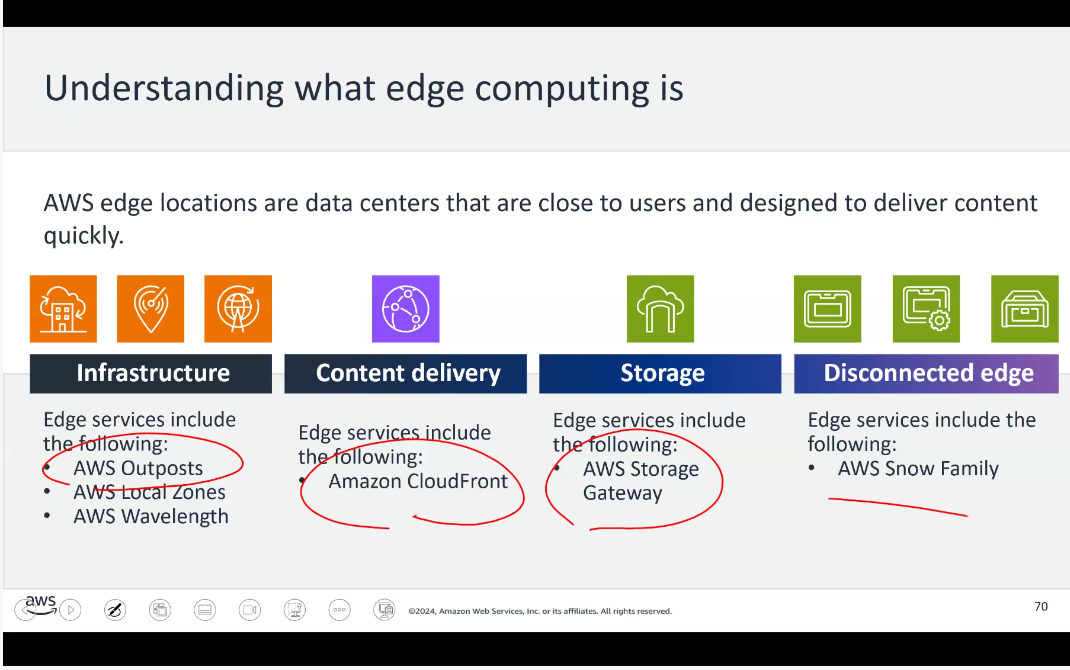
Infrastructure Edge Services
AWS Outposts – (Zonal service) Brings fully managed AWS compute and storage to on-premises locations. Ideal for workloads needing low latency or local data processing.
AWS Local Zones – Extends Regions closer to users
AWS Wavelength – Embeds compute within 5G networks for mobile edge computing
Content Delivery Edge Services
Amazon CloudFront – (Global/Edge service) AWS’s CDN that speeds up web content by delivering it from servers close to users. Caches content at global edge locations, reducing latency.
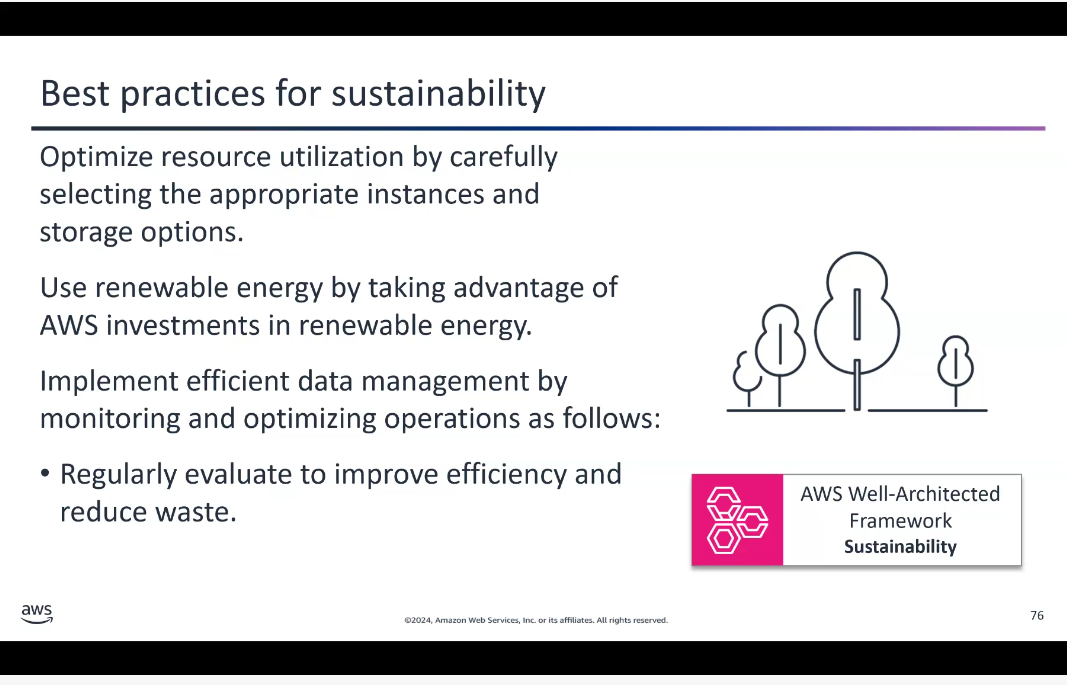
Topic F: Protecting Against Web-Based Attacks
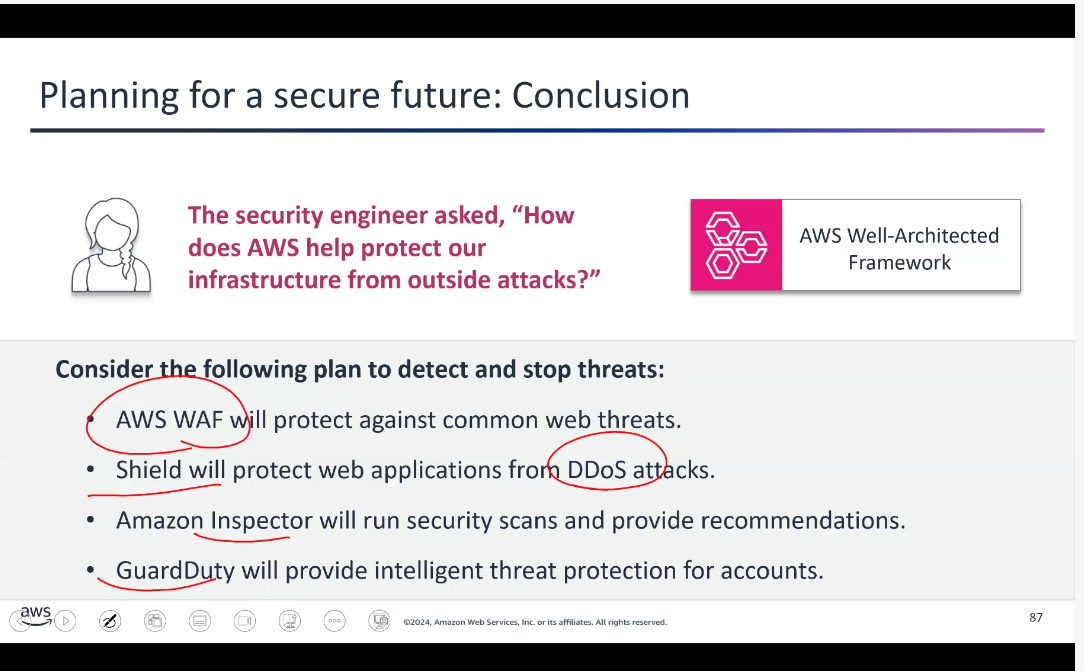
AWS WAF – Protects web applications from SQL injection, XSS, and other attacks using user-defined rules
AWS Shield – Managed DDoS protection
Shield Standard – Free, automatic protection against common DDoS attacks
Shield Advanced – Paid, enhanced protection with detailed diagnostics
AWS Inspector – Automated security assessment to identify vulnerabilities
AWS Security Hub – Central hub that aggregates security alerts from multiple AWS services
Amazon GuardDuty – Threat-detection service that continuously monitors for malicious activity
Part 4: Advanced Cloud Services
Taught by: Jerrell Tate
Topic A: Storage in the AWS Cloud
AWS Storage Services
Amazon S3 – Highly scalable and durable object storage. Multiple copies stored across different physical locations.
Amazon EBS – Persistent block-level storage volumes
Amazon EFS – Scalable, elastic file system
Amazon S3 Glacier – Low-cost, long-term data archiving and backups
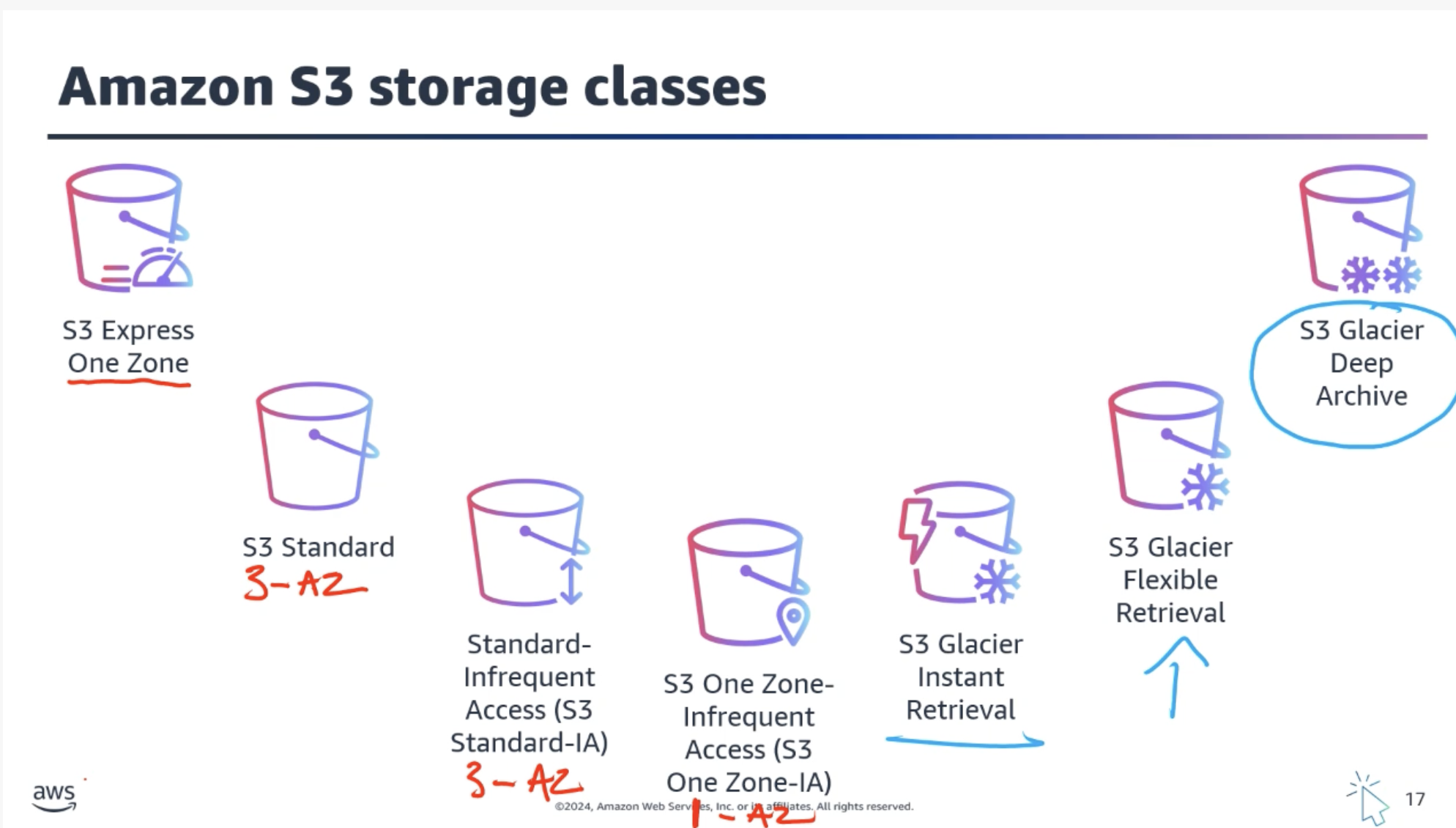
Amazon S3 Storage Classes
S3 Standard – Default for frequently accessed data requiring low latency
S3 Standard-IA – Lower cost for infrequently accessed data
S3 One Zone-IA – Lower-cost option with reduced durability (single AZ)
S3 Glacier Instant Retrieval – Archive with instant access
S3 Glacier Flexible Retrieval – Archive with flexible retrieval times
S3 Glacier Deep Archive – Lowest-cost storage, retrieval can take up to 12 hours (exam question!)
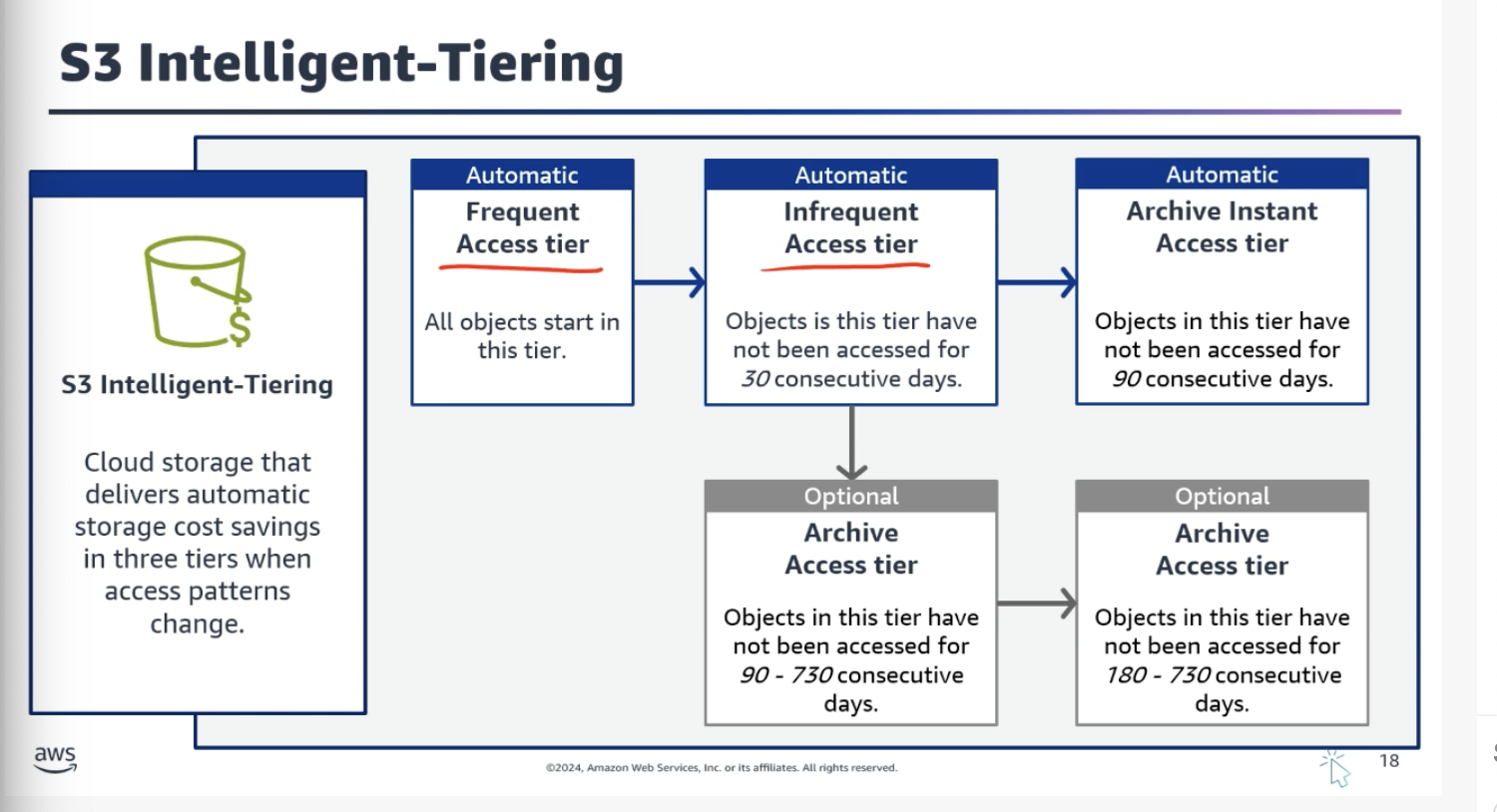
S3 Intelligent-Tiering – Automatically moves data between tiers based on usage
Object Storage Explained
In object storage, each object consists of:
Data – The actual file (image, video, document, etc.)
Metadata – Contextual information about the data
Key – Unique identifier
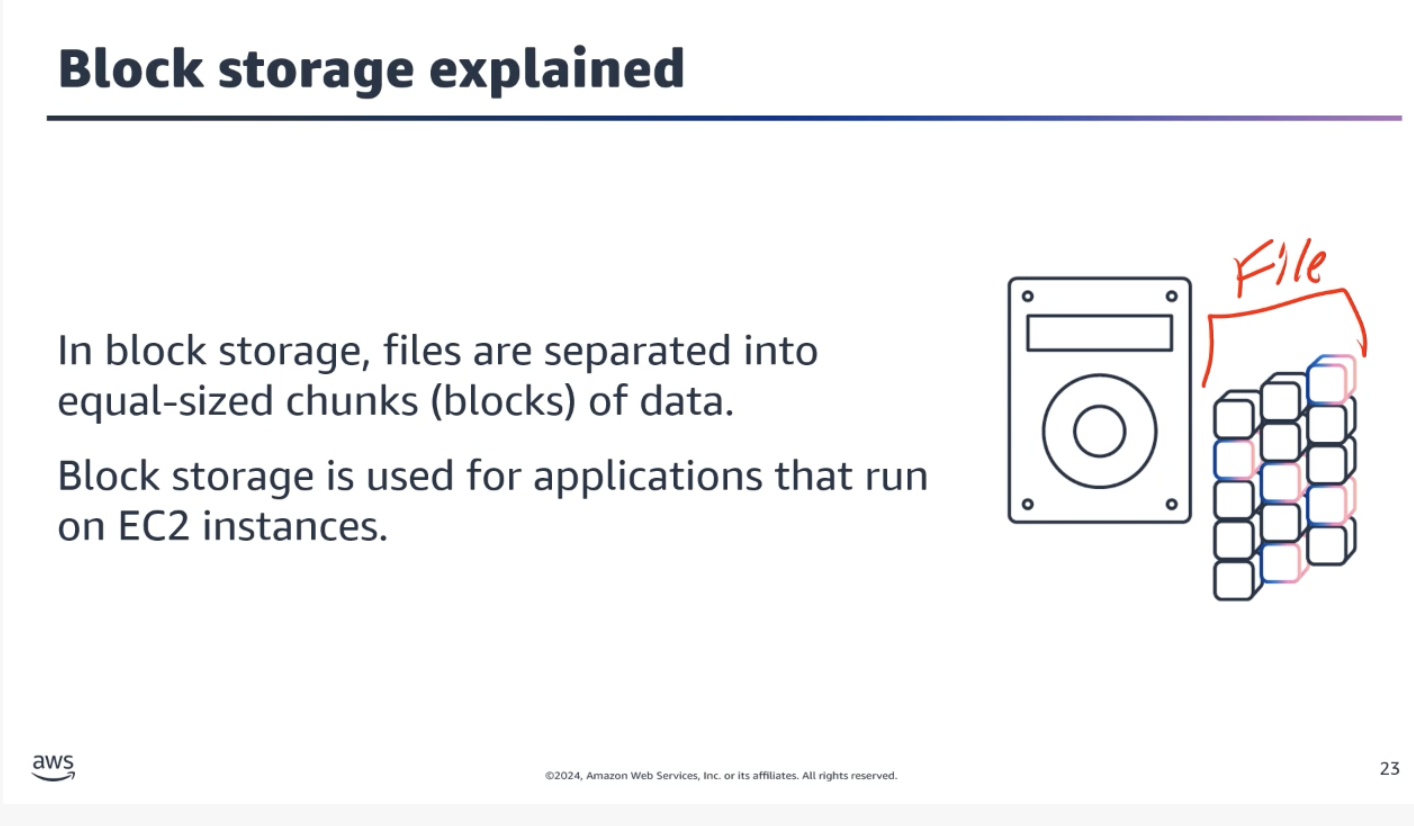
Important: When you modify a file in block storage, only the pieces that change are updated. When a file in object storage is modified, the entire object is updated.
Storage Type Comparison
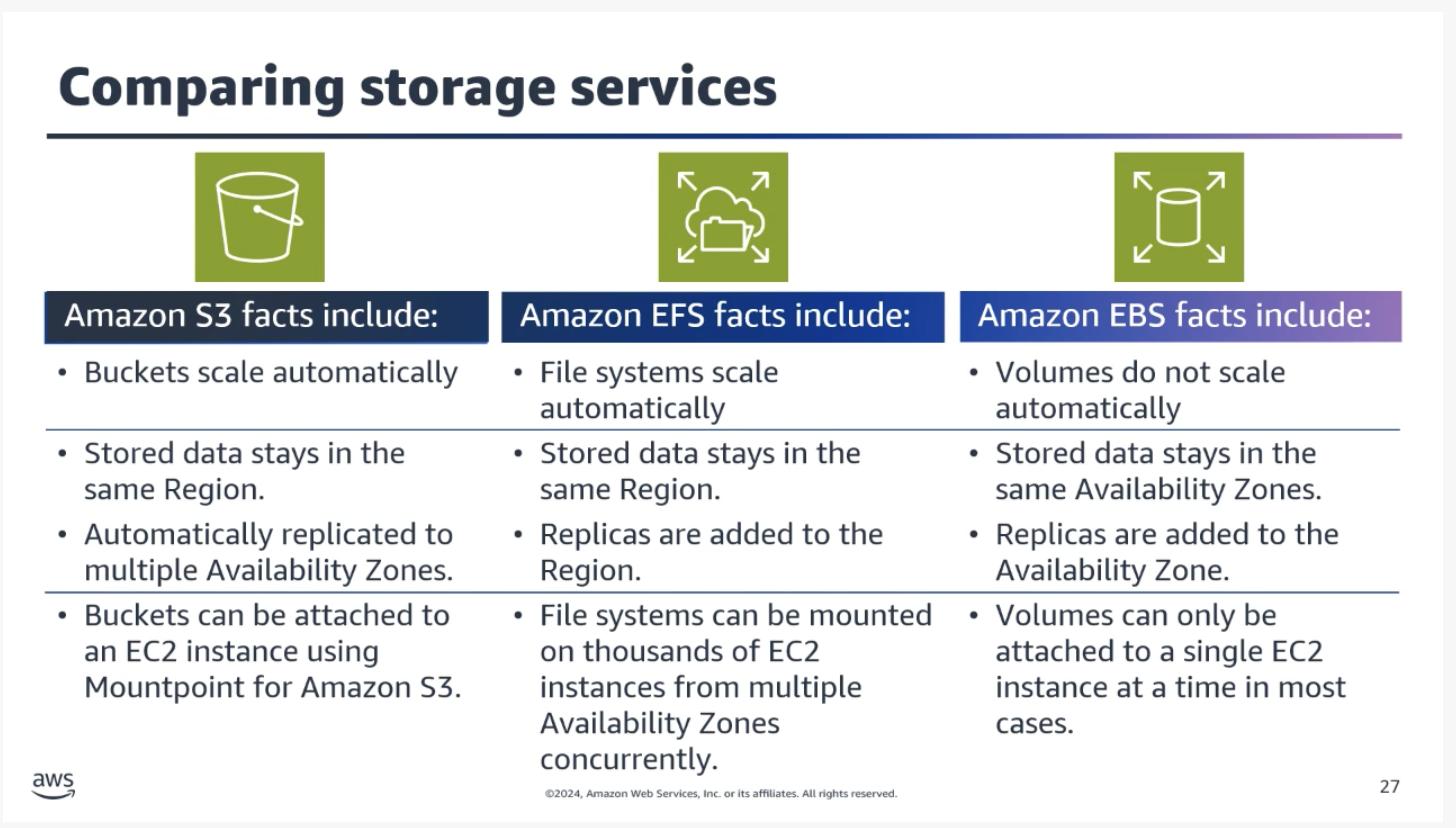
Object storage (Amazon S3) – Scalable storage for unstructured data accessed via APIs. Ideal for backups, media, and static content.
Block storage (Amazon EBS) – High-performance storage attached to a single EC2 instance. Suited for OS disks and databases. Zonal service.
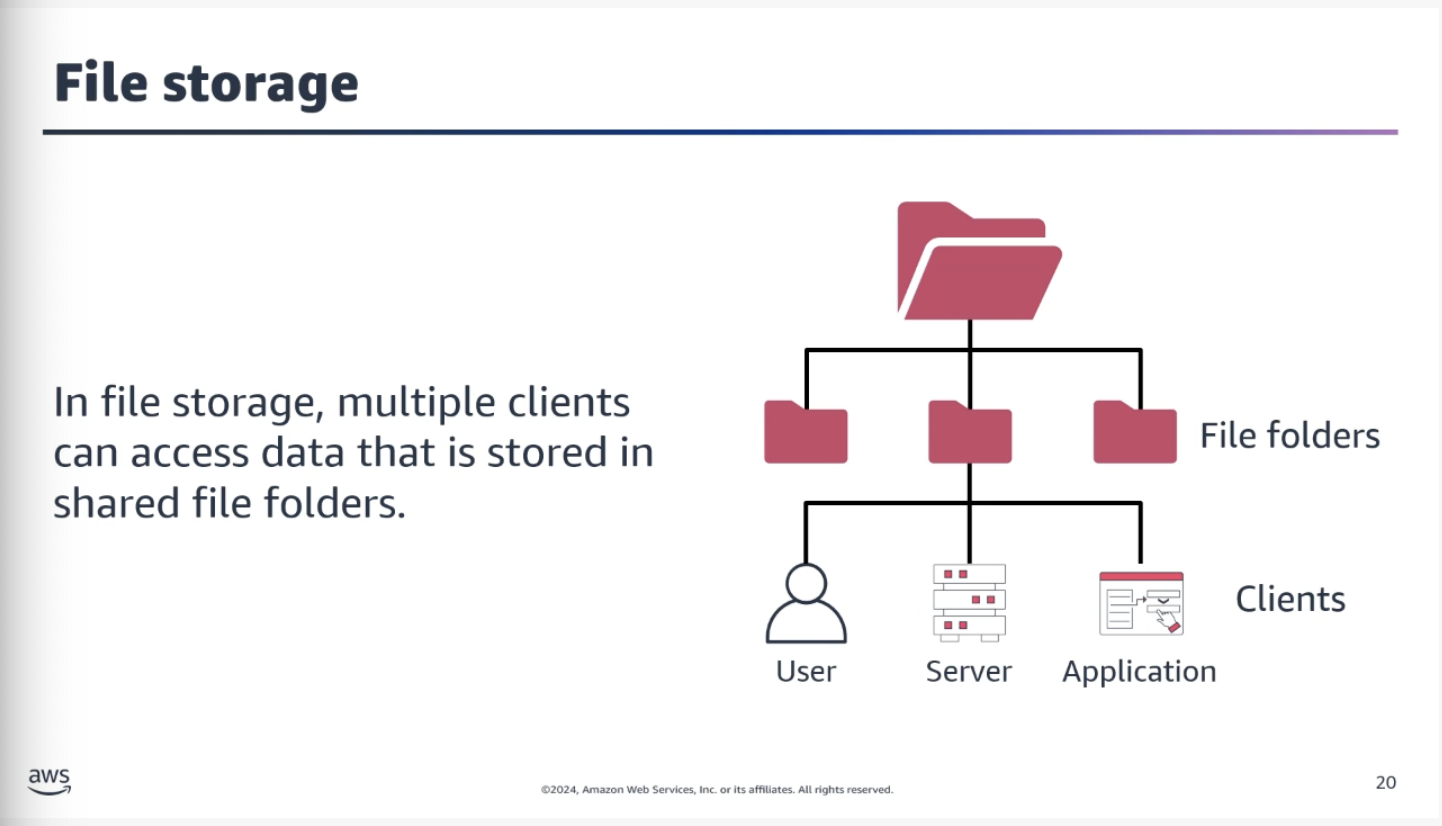
File storage (Amazon EFS) – Shared, scalable file system that multiple EC2 instances can access simultaneously. Regional service.
Instance Store:
Provides temporary block-level storage for an EC2 instance. All data is lost when the instance is stopped or terminated. Best for short-term, non-persistent data.
Topic B: Databases in the AWS Cloud
Amazon RDS
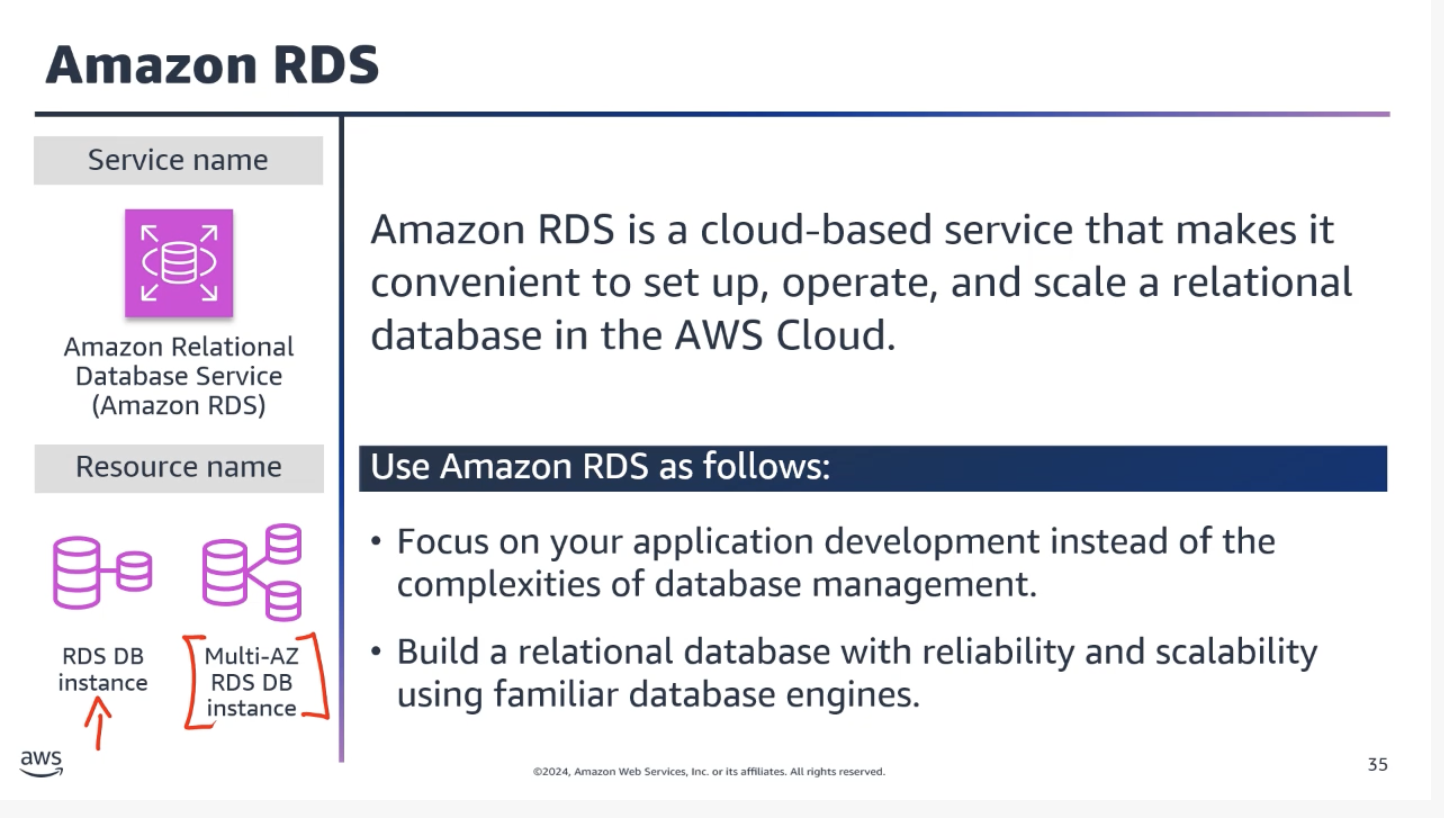
A fully managed relational database service that simplifies database setup, operation, scaling, backups, patching, and failover. Supports multiple database engines:
Amazon Aurora
MySQL
PostgreSQL
MariaDB
Oracle
SQL Server
IBM DB2
Amazon Aurora:
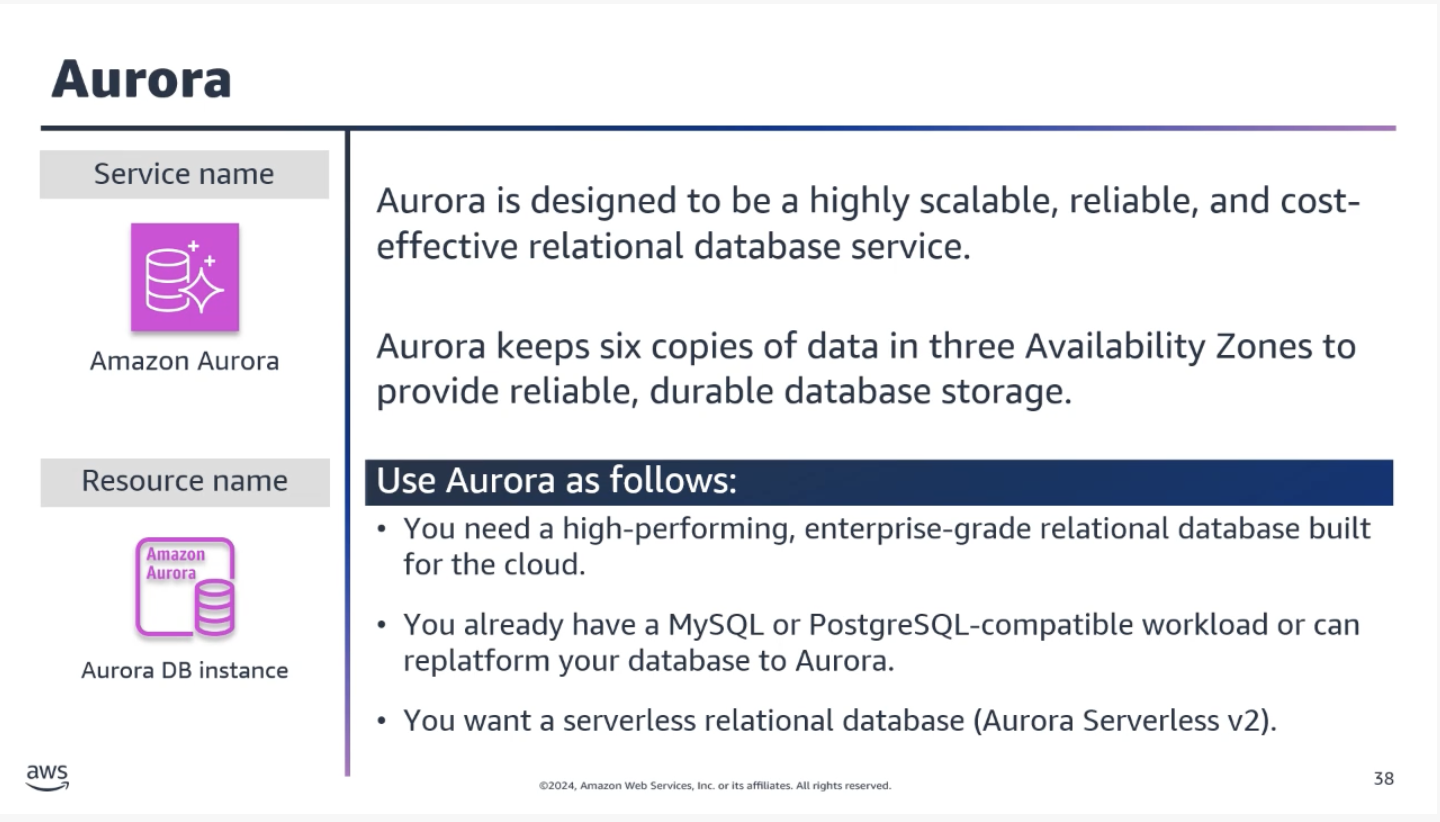
Designed for high availability and durability. Automatically replicates data across multiple Availability Zones. When you create an Aurora database, Aurora manages the underlying infrastructure – software updates, backups, and failover.
Common Question: Is Aurora part of RDS?
Aurora is part of RDS, but it operates differently. There are different calls within the RDS API: Aurora deals with clusters, while the rest of the engines work in terms of instances. They’re all part of RDS, but Aurora behaves differently, so it’s common to think of Aurora as its own thing.
Relational vs Nonrelational Databases
Nonrelational Databases (NoSQL):
Use structures other than rows and columns. A common approach is key-value pairs – data is organized into items (keys), and items have attributes (values).
In a key-value database, you can add or remove attributes from items at any time. Not every item needs to have the same attributes.
Amazon DynamoDB:
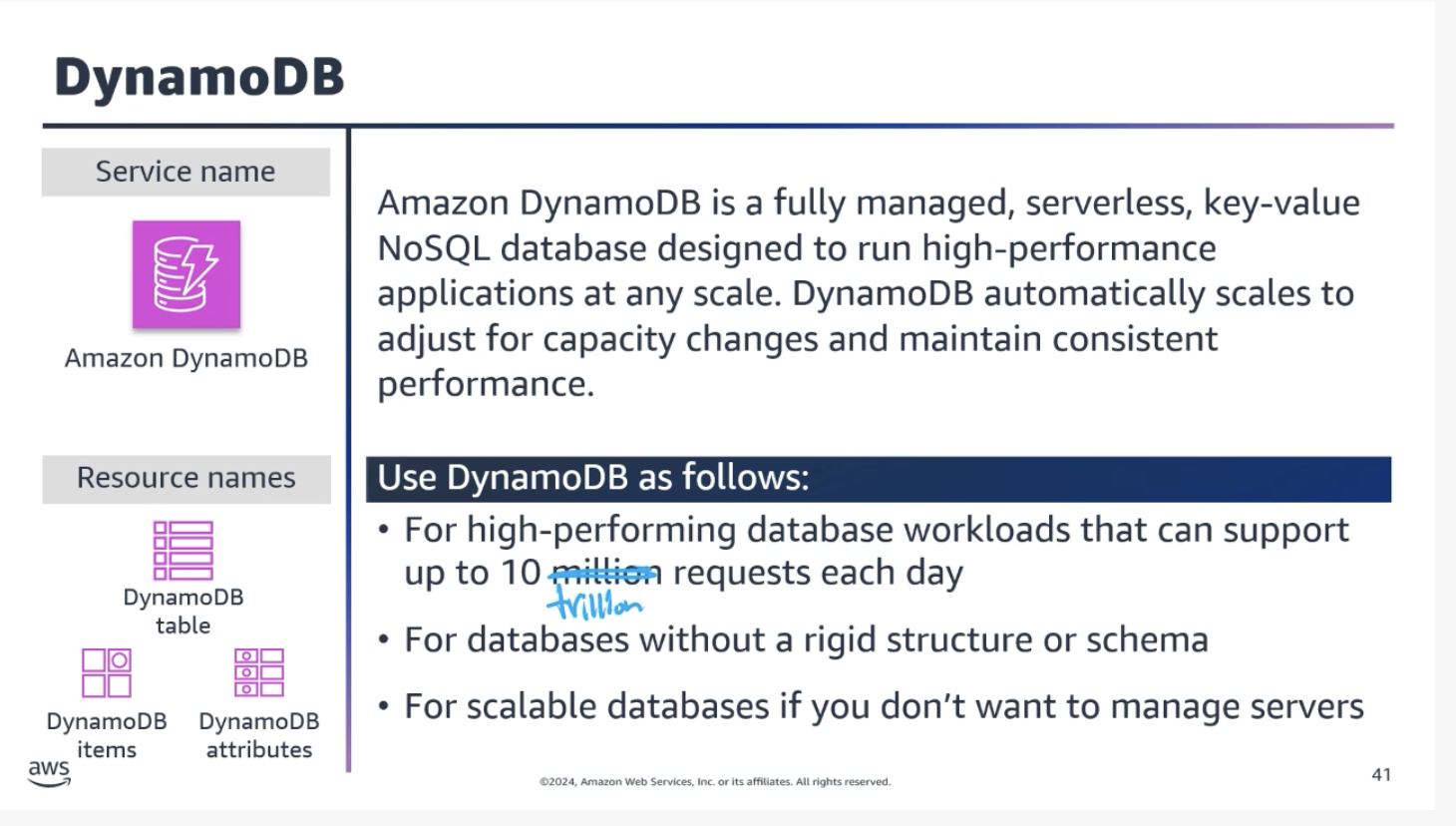
Suitable for applications with unpredictable or highly variable workloads where you need to handle sudden spikes in traffic or data volume.
Other Database Types
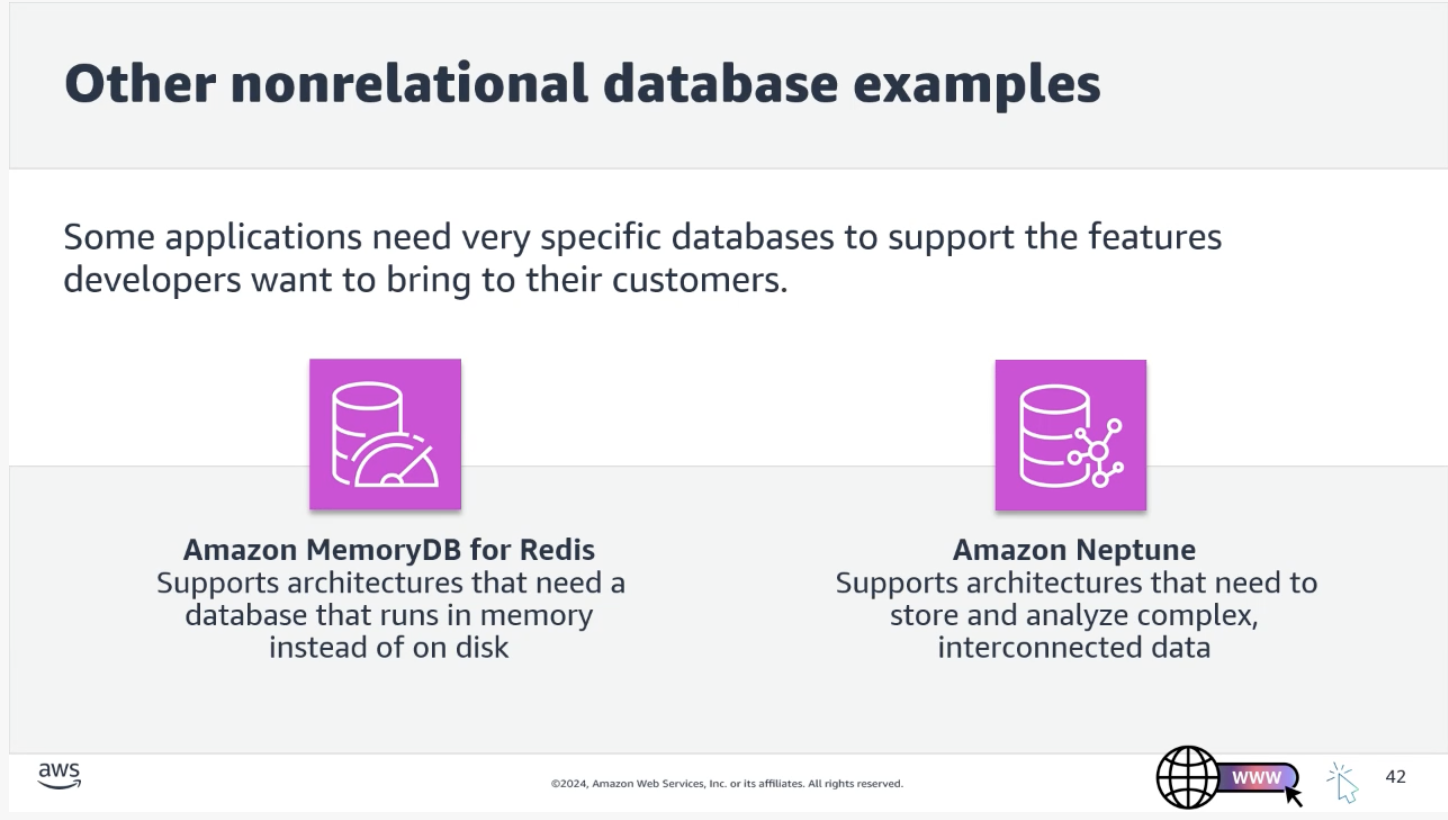
In-memory databases:
Store data entirely in RAM for extremely fast access. Well-suited for real-time analytics, caching, and gaming.
Amazon MemoryDB – Suitable for content caching, session management, and real-time applications
Graph databases:
Store and manage data as a network of interconnected entities.
Amazon Neptune – Suitable for social networks, recommendation engines, and knowledge graphs
Topic C: Data Analytics in the AWS Cloud
Data Analysis – The process of examining and interpreting data to uncover insights and patterns.
Data Analytics – The systematic use of data and statistical techniques to derive meaningful insights and make predictions.
Together, they make up Business Intelligence (BI).
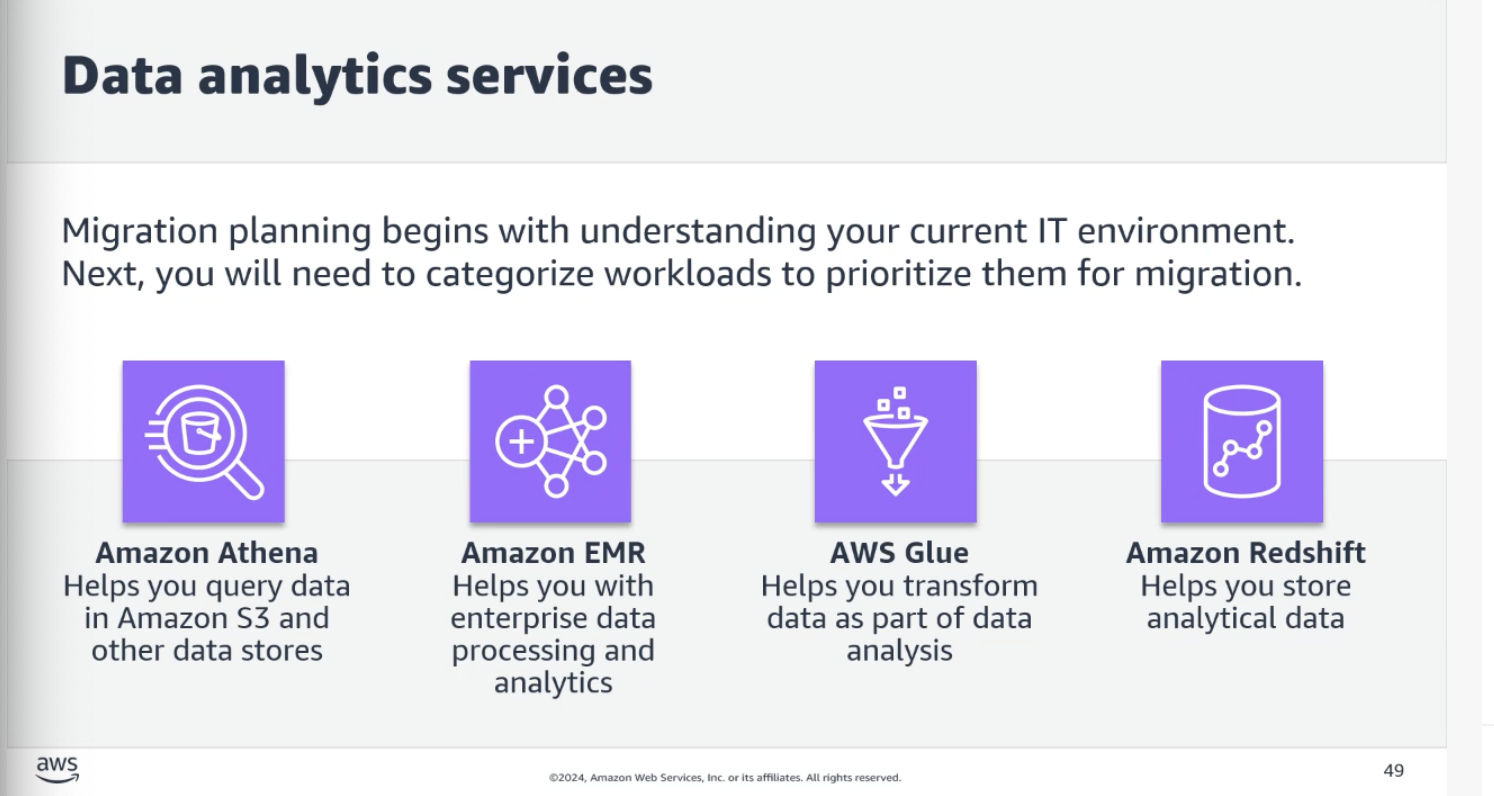
Analytics Services
Amazon Athena – Serverless query service to analyze data in S3 using standard SQL. Great for one-time queries.
Amazon EMR – Managed cluster service for big data frameworks (Apache Spark, Hive, Presto)
AWS Glue – Fully managed ETL (extract, transform, load) service
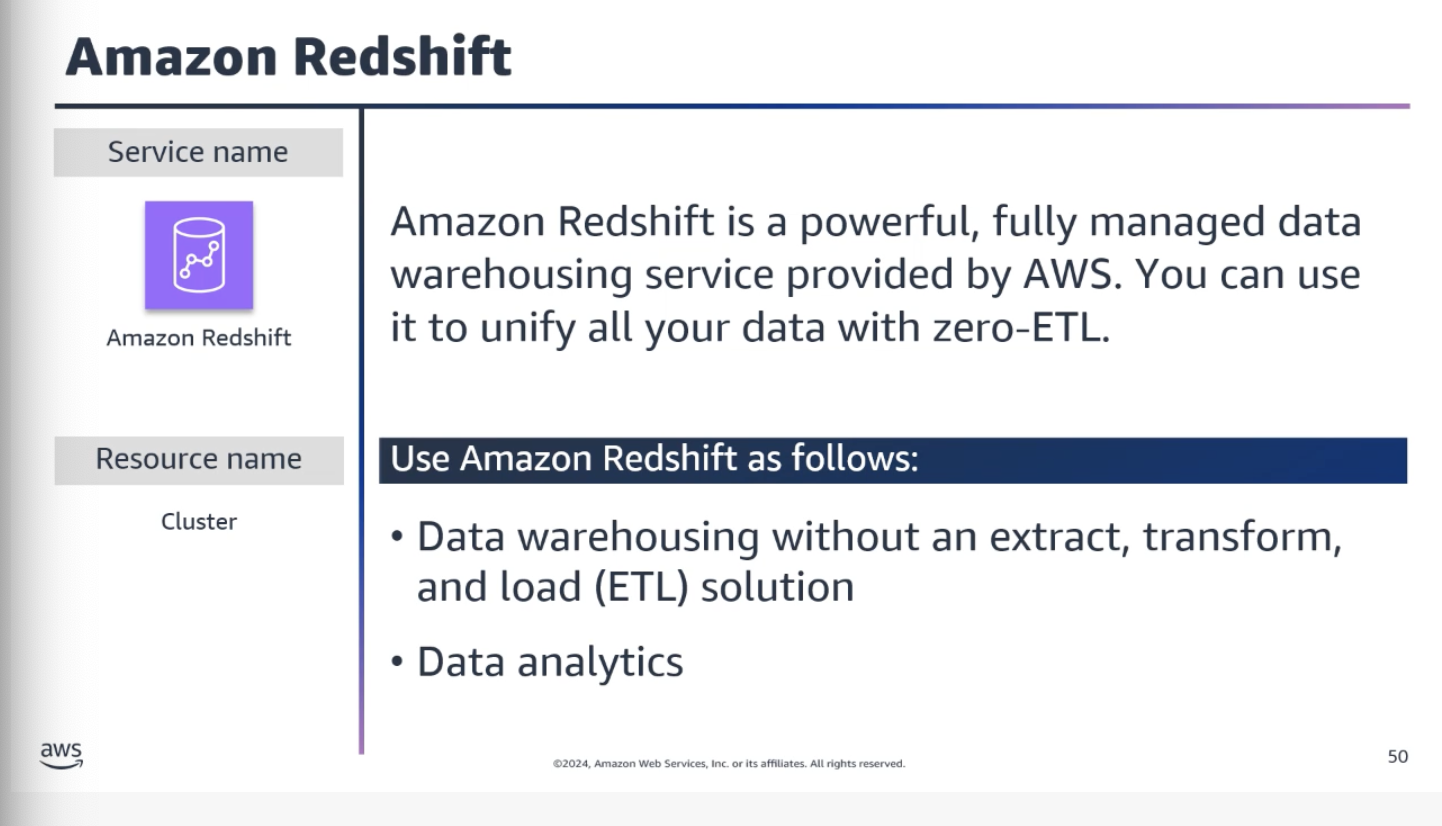
Amazon Redshift – Fast, fully managed data warehousing service. Amazon Redshift Spectrum can query data directly from S3.
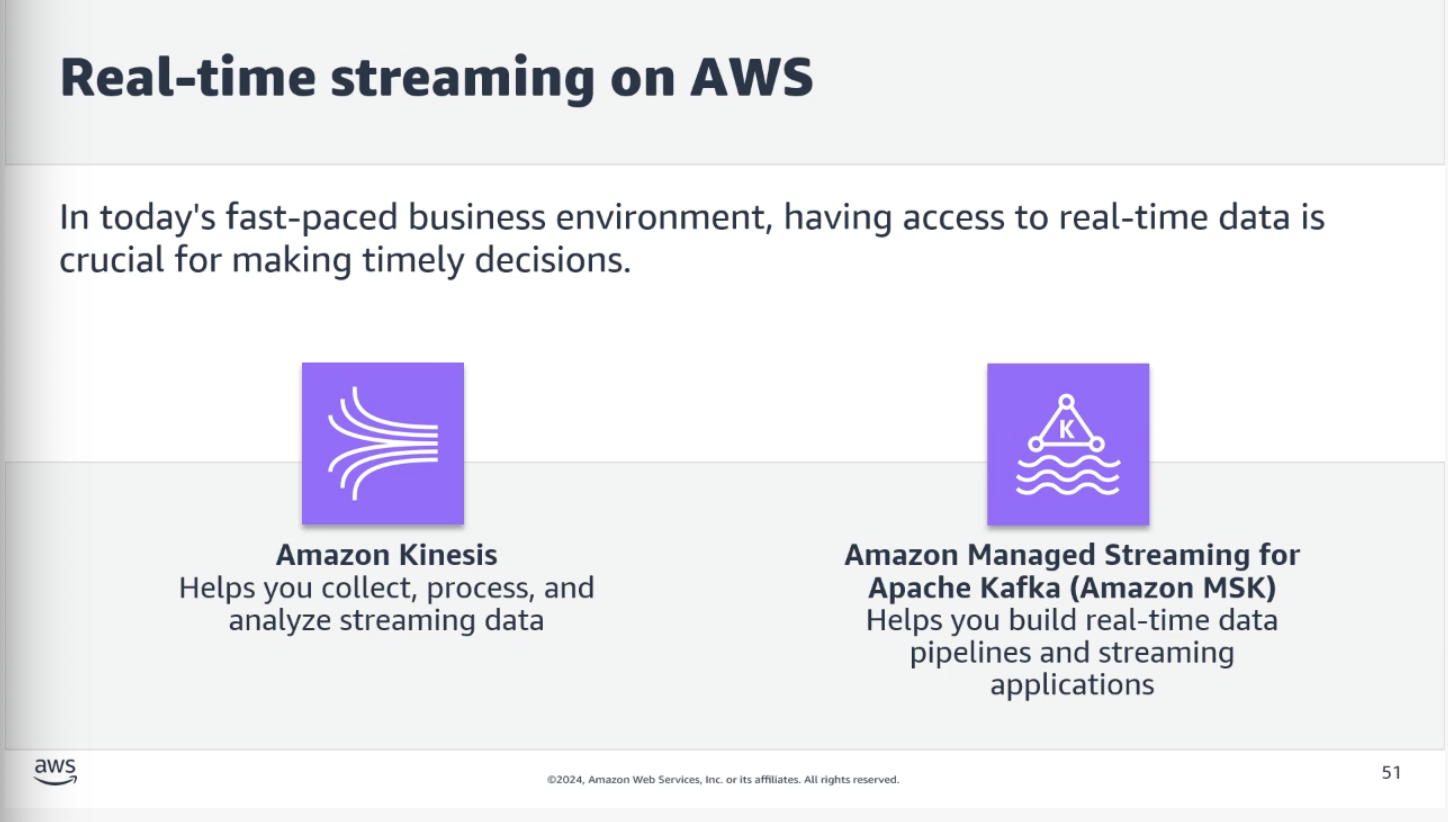
Real-Time Streaming Services
Amazon Kinesis – Collect, process, and analyze real-time streaming data
Amazon MSK – Managed Streaming for Apache Kafka. Build real-time data pipelines.
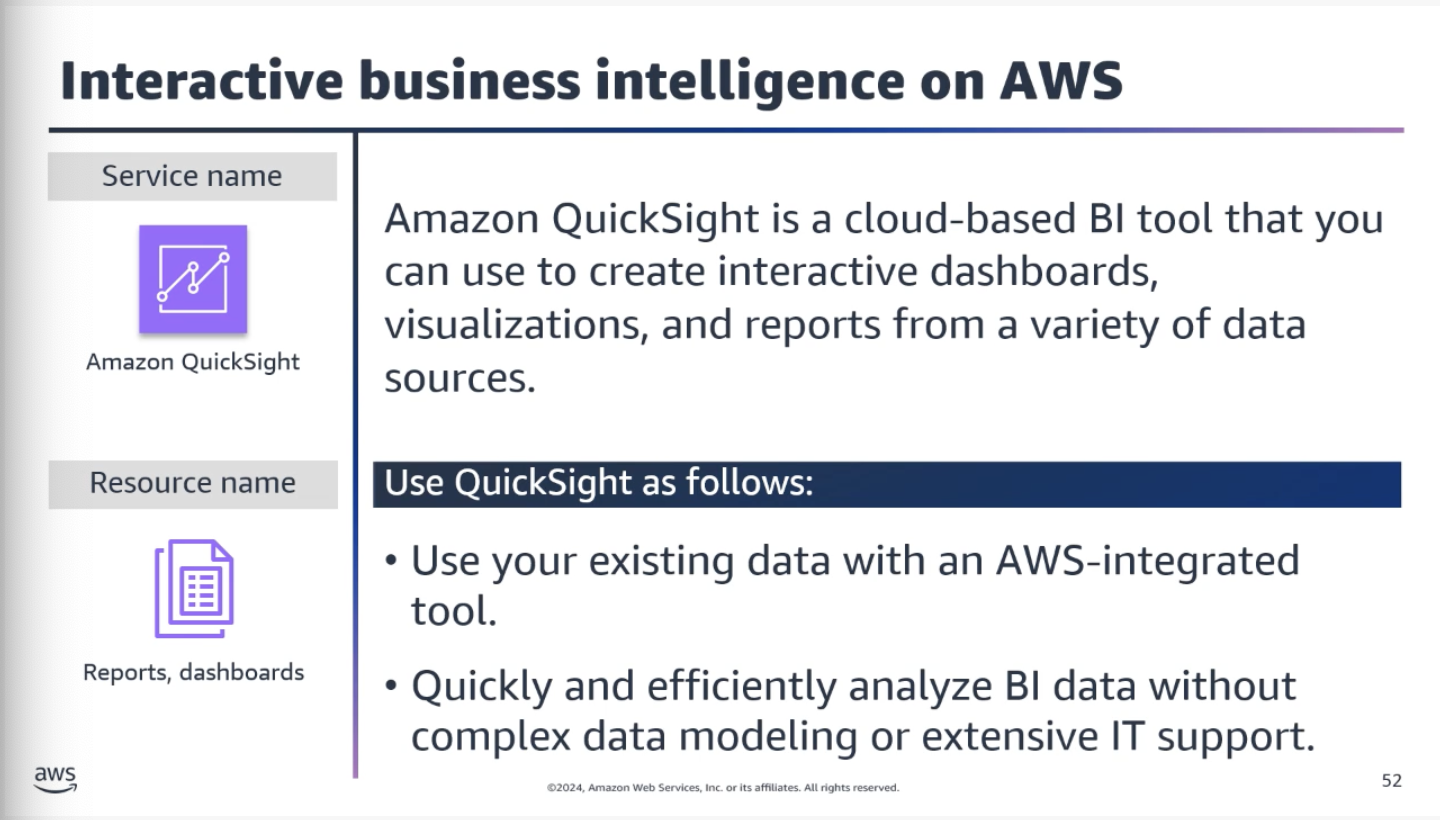
Amazon QuickSight – Cloud-powered BI service for data visualization and sharing
Topic D: Artificial Intelligence on AWS
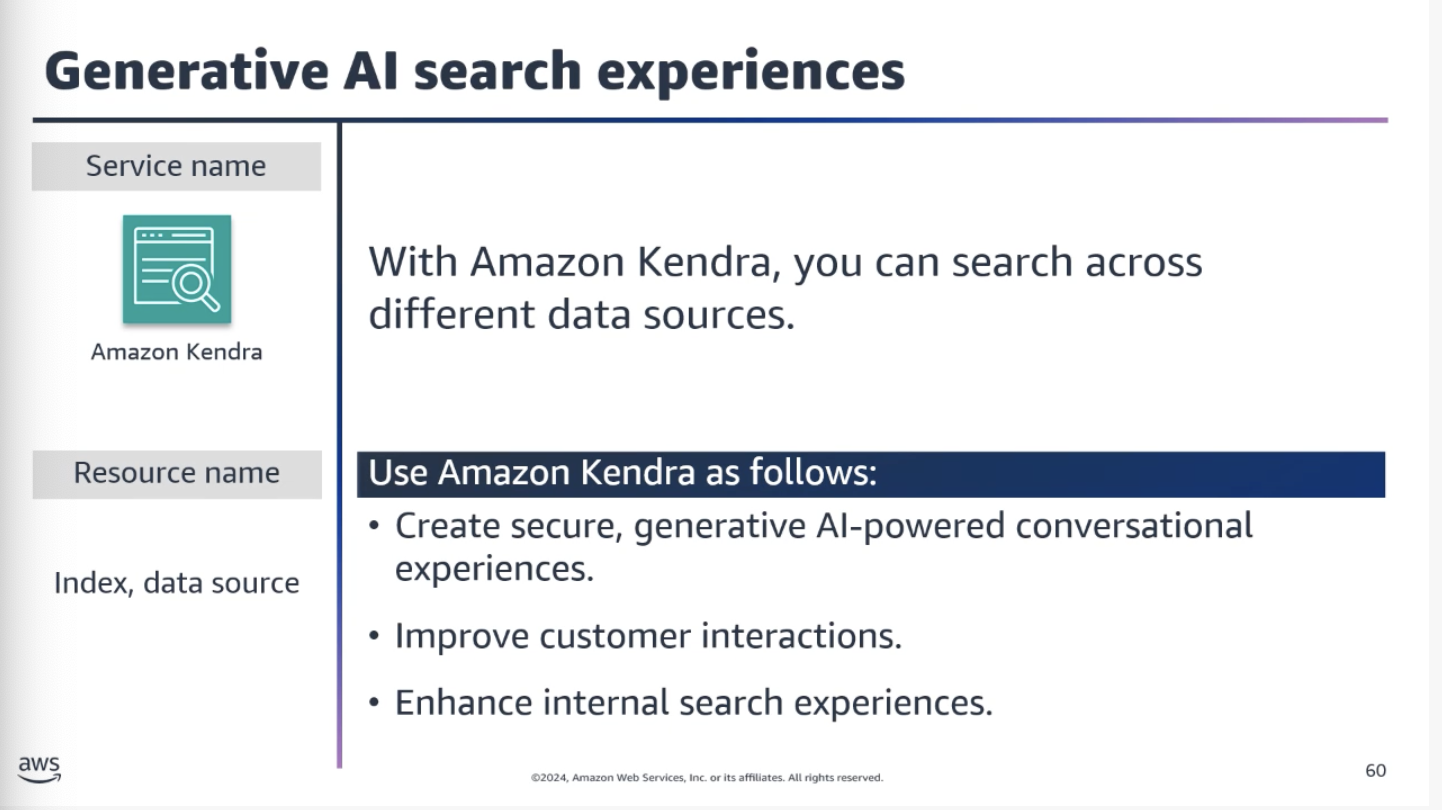
Text-Based AI Tools
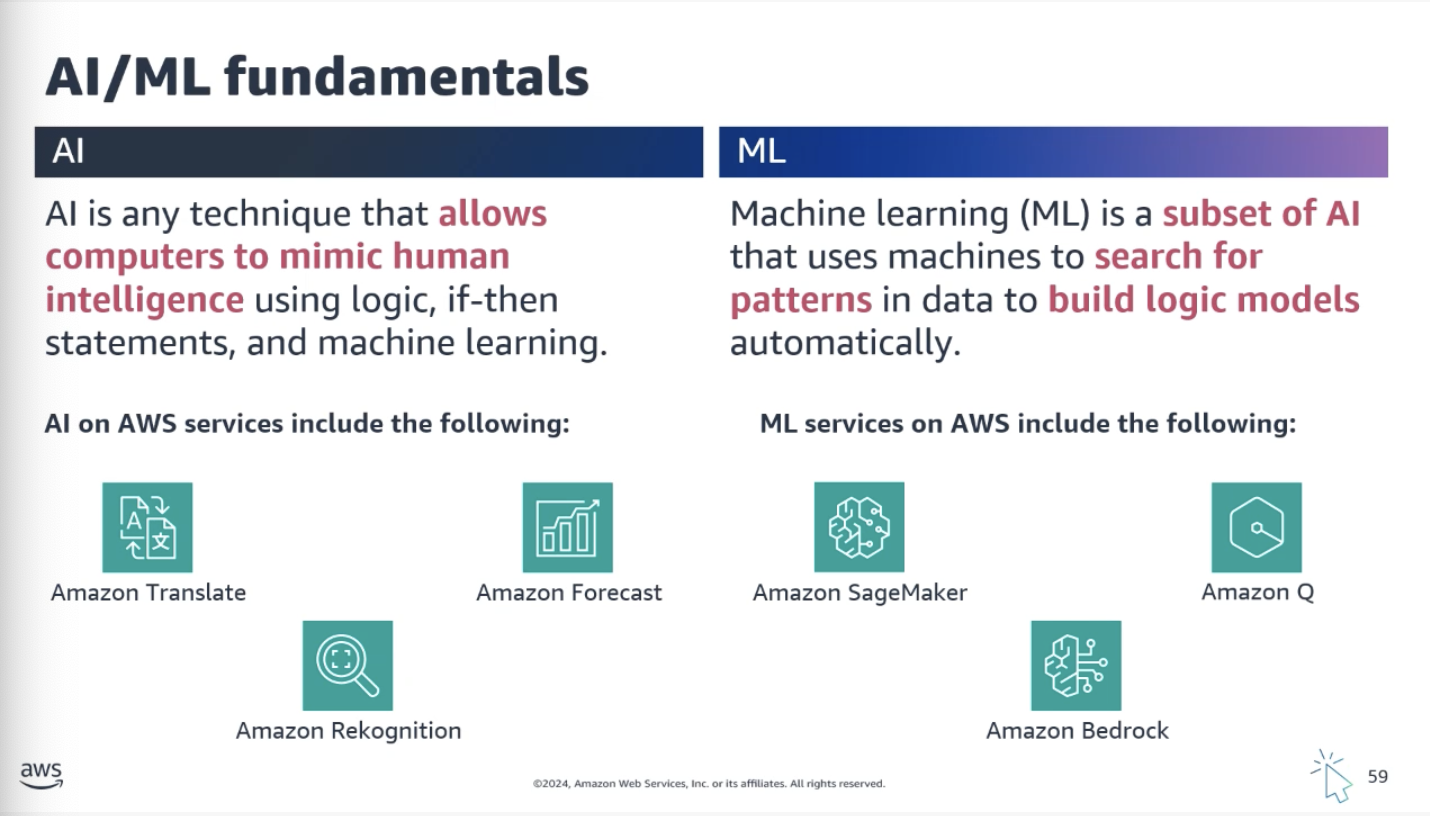
Amazon Transcribe – Converts audio recordings into written text
Amazon Polly – Transforms text into natural-sounding speech
Amazon Textract – Extracts text and data from documents
Amazon Translate – Machine translation between languages
Amazon Lex – Build conversational interfaces (chatbots, voice assistants)
Amazon Kendra – Powerful search engine for finding information within company data
Machine Learning Services
Amazon SageMaker – Fully managed service to build, train, and deploy ML models
Amazon Bedrock – Pre-trained Foundation Models for building AI applications
Amazon Comprehend – Uses NLP to extract insights from documents (sentiment, topics, entities)
Amazon Q – Generative AI assistant designed for enterprise work
Topic E: Migration to AWS
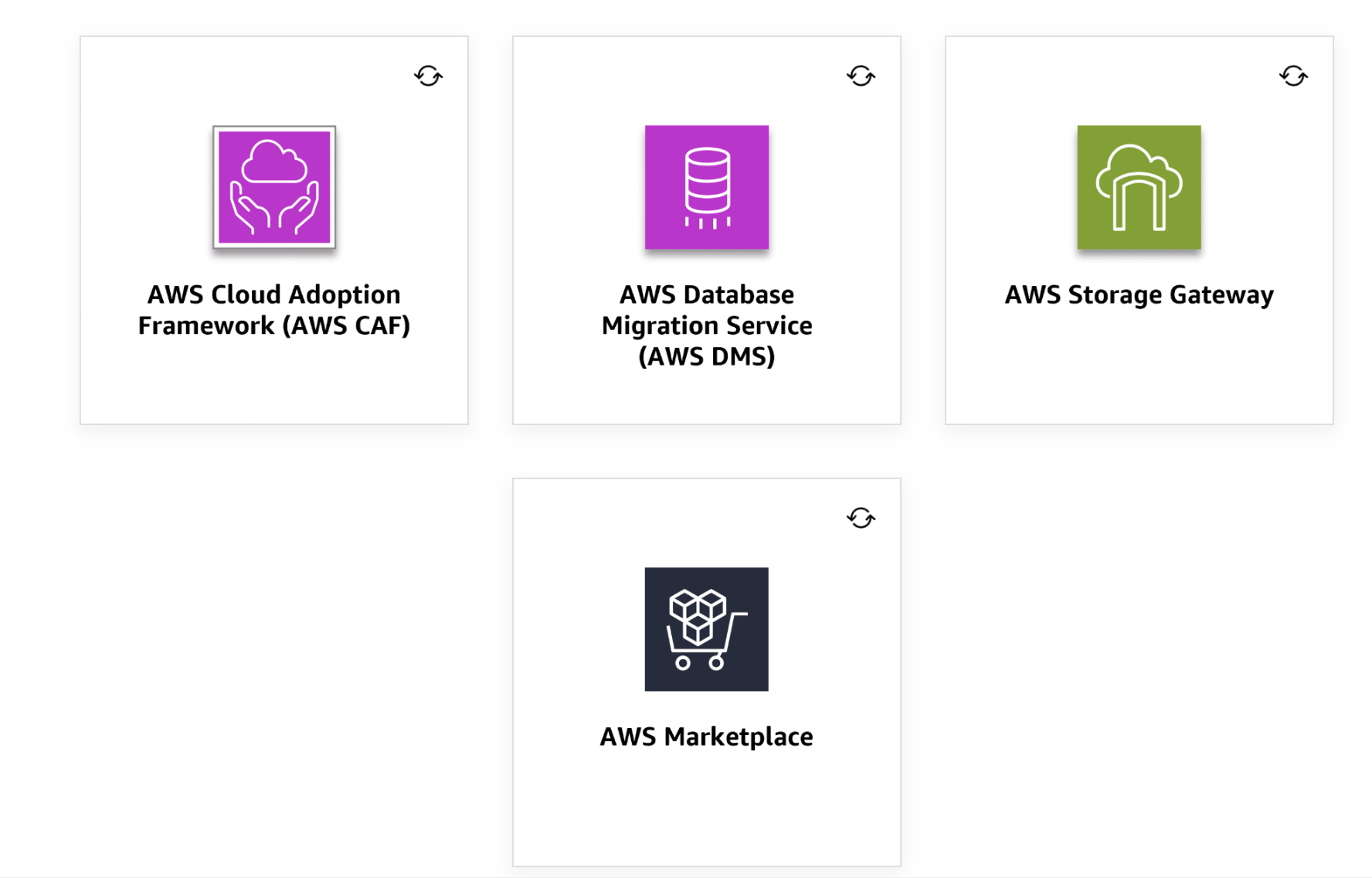
Migration Tools
AWS Cloud Adoption Framework (CAF) – Resource to guide your migration
AWS Database Migration Service (DMS) – Migrate databases with minimal downtime
AWS Storage Gateway – Seamlessly integrate on-premises storage with AWS for backups and archiving
AWS Marketplace – For licensing strategies (BYOL and AWS options)
Other migration tools to know: AWS DataSync, AWS Transfer Family, AWS Storage Gateway
Migration Strategies
Rehost (lift and shift) – No changes to existing infrastructure. Easier when you have less time for migration planning.
Replatform – Make a few cloud optimizations without changing core architecture
Refactor (transform) – Re-architect using cloud-native features
Retire – Decommission applications no longer needed
AWS Services Quick Reference
This is a summary of all the AWS services and terms I learned throughout the four parts.
Identity and Access Management
AWS IAM Identity Center – Centralized service for managing workforce access to multiple AWS accounts and applications
AWS KMS – Key Management Service for encryption keys
AWS Secrets Manager – Securely stores database credentials, API keys, and tokens
AWS Certificate Manager – Provision, manage, deploy SSL/TLS certificates
Networking
VPC – Virtual Private Cloud
Route Tables – Direct traffic within your VPC
Security Groups – Stateful firewall for resources
NACL – Network Access Control List (stateless)
AWS Direct Connect – Dedicated private connection
VPG – Virtual Private Gateway
AWS Route 53 – DNS service
Compute
AWS EC2 – Elastic Compute Cloud
Reserved Instances – Commit to usage for discounts
Spot Instances – Bid on unused capacity
AWS Lambda – Serverless compute
AWS Fargate – Serverless containers
Amazon API Gateway – Create, publish, and secure APIs
Storage
Amazon S3 – Object storage with various storage classes
Amazon EBS – Elastic Block Storage
Amazon EFS – Elastic File System
Instance Store – Temporary block storage
AWS Storage Gateway – Hybrid storage integration
Databases
Amazon RDS – Managed relational database service
Amazon Aurora – High-performance MySQL/PostgreSQL compatible
Amazon DynamoDB – NoSQL key-value database
Amazon MemoryDB – In-memory database
Amazon Neptune – Graph database
Monitoring and Logging
AWS CloudTrail – Audit log of all API activity
Amazon CloudWatch – Metrics, dashboards, and alerts
AWS Health – Personalized view of AWS service health
AWS Config – Configuration history and change notifications
Security
AWS WAF – Web Application Firewall
AWS Shield – DDoS protection
AWS Inspector – Vulnerability assessments
AWS Security Hub – Centralized security posture management
Amazon GuardDuty – Threat detection
Scalability and Load Balancing
EC2 Auto Scaling – Automatic instance scaling
Elastic Load Balancing – Distribute traffic
Messaging and Notifications
Amazon SQS – Simple Queue Service
Amazon SNS – Simple Notification Service
Amazon SES – Simple Email Service
Amazon EventBridge – Serverless event bus
Data Analytics
Amazon Athena – Serverless SQL queries on S3
Amazon EMR – Big data analytics
AWS Glue – ETL service
Amazon Redshift – Data warehousing
Amazon Kinesis – Real-time streaming
Amazon QuickSight – Data visualization
AI and Machine Learning
Amazon SageMaker – Build, train, deploy ML models
Amazon Bedrock – Foundation Models
Amazon Comprehend – NLP insights
Amazon Q – Generative AI assistant
Amazon Rekognition – Image and video analysis
Amazon Translate – Machine translation
Amazon Lex – Chatbots and voice assistants
Amazon Polly – Text-to-speech
Amazon Transcribe – Speech-to-text
Amazon Textract – Document text extraction
Amazon Kendra – Enterprise search
Amazon Forecast – Business outcome predictions
Edge Services
AWS Outposts – On-premises AWS infrastructure
AWS Wavelength – 5G edge computing
AWS Local Zones – Low-latency extensions
Amazon CloudFront – CDN
Deployment and Management
AWS CloudFormation – Infrastructure as code
AWS Elastic Beanstalk – Easy application deployment
AWS CodeDeploy – Automated deployments
Amazon Lightsail – Simple VPS hosting
AWS Organizations – Multi-account management
AWS Trusted Advisor – Optimization recommendations
AWS Artifact – Compliance documents
Pricing and Cost Management
AWS Pricing Calculator – Estimate costs
AWS Cost Explorer – Analytics tool for costs
AWS Cost and Usage Reports – Detailed usage records
AWS Budgets – Set custom cost and usage alerts
Migration
AWS DMS – Database Migration Service
AWS Storage Gateway – Hybrid storage for backups
AWS Marketplace – Software and licensing
Important Terminology
Term |
Definition |
|---|---|
Availability Zone |
A distinct location in an AWS Region insulated from failures in other AZs |
Region |
A named set of AWS resources in the same geographical area (at least 3 AZs) |
Edge Location |
A data center for service-specific operations (points of presence) |
Availability |
Whether an application is accessible and usable on demand |
Resiliency |
Ability of a system to recover and continue operating during disruptions |
Scalability |
Ability to grow as workload demands change |
Elasticity |
Ability to acquire and release resources automatically as needed |
Durability |
Ability to ensure long-term data stability |
CIDR |
Classless Inter-Domain Routing – IP address allocation methodology |
MFA |
Multi-Factor Authentication |
CSP |
Cloud Service Provider |
DNS |
Domain Name System – translates domain names to IP addresses |
TLS/SSL |
Cryptographic protocols for secure communication |